Deep links on custom product pages
A deep link on a custom product page sends someone who taps Open on that page to a specific screen in your app, so the page’s promise continues inside the app. It works on iOS 18 and iPadOS 18 or later, is set per page in App Store Connect as a universal link or custom URL, and must be approved with the page before it does anything. Apple Ads ad variations that use the page carry the same link.
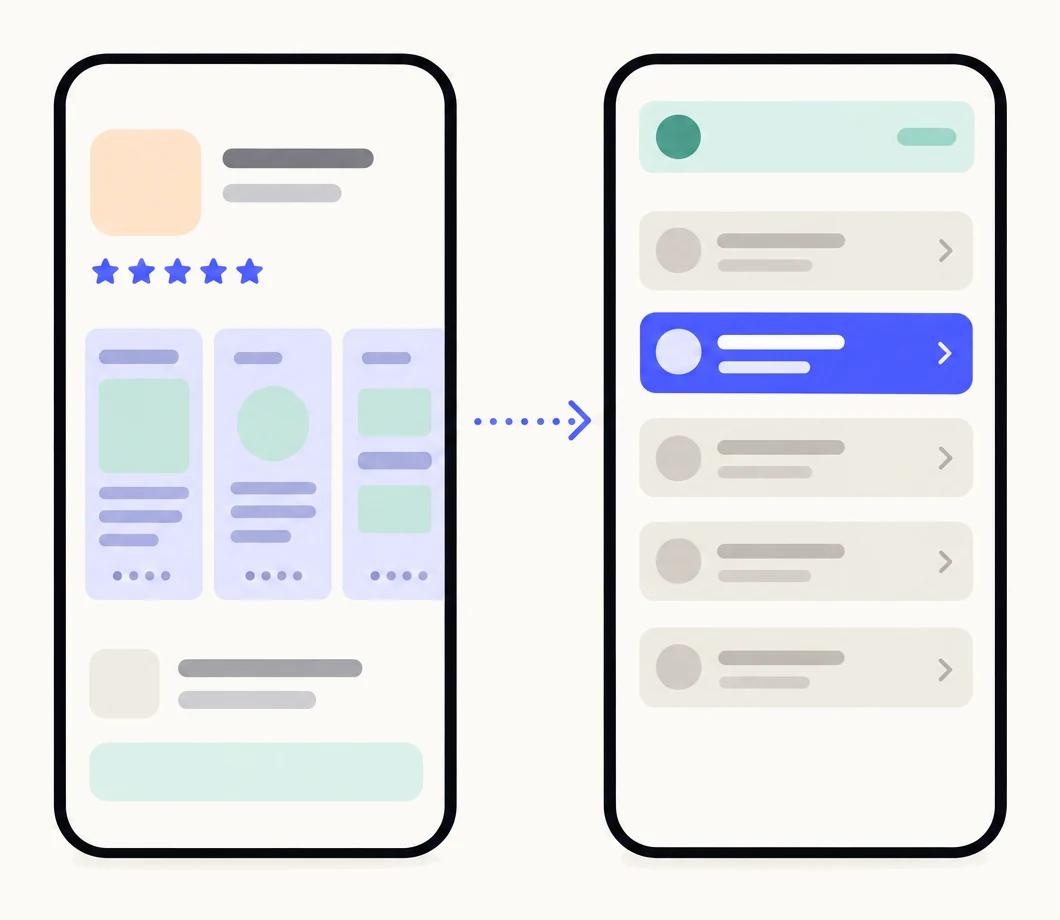
What does a deep link on a custom product page do?
It decides where the app opens. Apple’s description: when you add a deep link, people who tap to open your app from your custom product page are taken to a specific destination in your app.2 Without one, the app opens where it always does, usually its home screen, and the person who came for the receipt scanner has to find it.
That is the point of the feature. A custom product page makes one promise to one audience: the first screenshot says “Scan to PDF, straight from the camera”. A deep link keeps the promise after the install, by opening the scanner. Apple introduced it at WWDC 2024 as a way to customise where someone lands when they open your app from a custom product page.4 Where the link leads is up to your app: Apple says it depends on the custom logic you add through your app’s delegates.4 The complete guide covers the rest of what a page can do.
What does it require?
A device on iOS 18 or iPadOS 18 or later, a custom product page, a link your app already handles, and approval. The facts, from Apple’s help:
| Operating system | iOS 18 or iPadOS 18, or later |
|---|---|
| Where it is set | On the custom product page, in App Store Connect |
| What the field accepts | A universal link or a custom URL. Apple recommends universal links |
| When it fires | When someone on iOS 18 or iPadOS 18 or later taps Open on the custom product page |
| Before it works | The page, with its deep link, must be approved by App Review |
| In Apple Ads | An ad variation that uses the page carries the link, on iOS and iPadOS 18 and later |
Apple’s wording: an app deep link can be a universal link or custom URL, and Apple asks you to use universal links for a secure and integrated experience; the link fires when users running a minimum of iOS 18 or iPadOS 18 click Open on your custom product page; and it must be approved before it will function, so you submit the page for review after adding it.1 Custom product pages themselves work from iOS 15 and iPadOS 15, so on an older device the page shows and the app opens as usual.12
How do you add one?
In App Store Connect, on the page itself, then submit the page. These are Apple’s steps for creating a page, with the deep link where it fits.1
- Make sure your app handles the link.A universal link needs your associated domains set up; a custom URL scheme needs the scheme registered. The App Store passes the link; your app decides where it goes.
- In App Store Connect, select your app and click Custom Product Pages.Create a page with a reference name, or open an existing one that is still editable.
- Add the screenshots, app previews and promotional text that make the page’s promise.The deep link should land where the first screenshot points. The headline guide covers that first screenshot.
- Enter the deep link in the page’s deep link field.A universal link (https://yourapp.example/scan) or a custom URL (yourapp://scan). Apple recommends the universal link.
- Test the link on a device, then click Add for Review and Submit for Review.The link does not work for anyone until the page is approved.
A page carries one deep link. If a page needs to open two different places, it is two pages, and probably two audiences. How many pages your app needs covers that split.
How does it work with Apple Ads?
Through ad variations. In a search results ad group you create an ad variation from a custom product page, and that page is both the ad’s creative and where people land when they tap.3 If the page has a deep link, Apple Ads says you can select a custom product page with a deep link that directs people to the exact place you want in your app, on devices running iOS or iPadOS 18 and later.3
Nothing is set on the Apple Ads side. The link belongs to the page in App Store Connect and appears with the page when you pick it for an ad, listed beneath the ad preview.4 Each ad group can have one active custom ad, and your default ad runs where you have not made one.3 The ad, the page and the screen the app opens on should say the same thing. How to match ad groups to pages is in custom product pages for Apple Ads.
How do you test it?
Test the link itself before you submit, because the App Store will not run it until the page is approved. Apple’s suggestion is the simplest: paste the URL into the Notes app on a device with your app installed and tap it, and check that it opens the right place.1 Then test the cases the Notes app does not cover:
| Case | What to check | Documented by Apple |
|---|---|---|
| App installed, iOS 18 or later | The link opens the right screen | Yes: this is the case Apple describes |
| App installed, iOS 17 or earlier | The app opens normally | Partly: Apple states the iOS 18 minimum, not the older behaviour |
| Fresh install from the page, then Open | The link is applied after the install | Yes: Open on the page is the documented trigger |
| Fresh install, then opened from the Home Screen | Whether the link still applies | No: not documented. Do not depend on it |
| Tap from an Apple Ads ad variation | The ad lands on the page, and Open uses the link | Yes, on iOS and iPadOS 18 and later |
Once the page is approved, open its link on a device, tap Open, and confirm the destination. If it fails, the first suspect is your app’s link handling, not the page.
What are the limits?
- One deep link per page. The link is an attribute of the page; a page cannot send different people to different places.
- iOS 18 and iPadOS 18 or later. On older systems the page works and the link does nothing.12
- Approval first. The link works only after the page with it is approved, so adding or changing one means a review.1
- Only Open on the page. Apple documents the link firing when someone taps Open on the custom product page. Deferred behaviour, when the app is opened some other way after the install, is not documented.1
- Your app does the routing. Apple passes the link; where it leads is your code.4
- Custom product pages only. Apple’s help describes the deep link field on custom product pages, not on the default product page.1
- Review applies to the link too. A link that opens a dead end is a page problem; see why custom product pages get rejected. The rest of a page’s limits are in custom product page requirements.
Sources
Questions people ask
Does a deep link work if the app is not installed yet?
Can my default product page have a deep link?
Can I use a deep link in Apple Ads?
Do I need a new app version to add a deep link?
See your first page.
Look up your app. In about a minute you see three pages planned for it and one designed on your own screenshots, before you sign up.