Title case Developer Tools app screenshot headlines
Every main word capitalised.
From the top 100 free Developer Tools apps on the US App Store, read on October 9, 2026. Screenshots are the developers’ own, shown from Apple’s servers with a link to each app.
The numbers
103 of the 507 Developer Tools screenshots read (20%) do this, across 39 of the top 100 apps (39%). 3 of the top ten do it (30%), against 36 of the other 90 (40%): the top ten do it less than the rest. Of the 23 categories read so far, Developer Tools is 4th for this. It is most common in Graphics & Design (62% of apps) and least common in Business (16%).
12 examples from the chart.
12 of the 103 title case Developer Tools app screenshot headlines, one from each app, the highest on the chart first.

“#1 Interactive Creation Platform”

“Talk to Cursor”

“Home Efficient Management”

“One Click Privacy”

“Code Smarter and Faster”
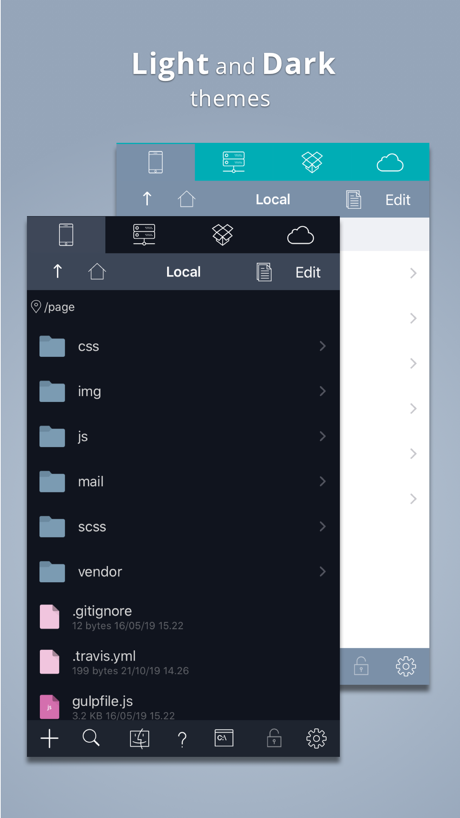
“Light and Dark”

“Collect What You Love”

“See App Rankings Around the World”
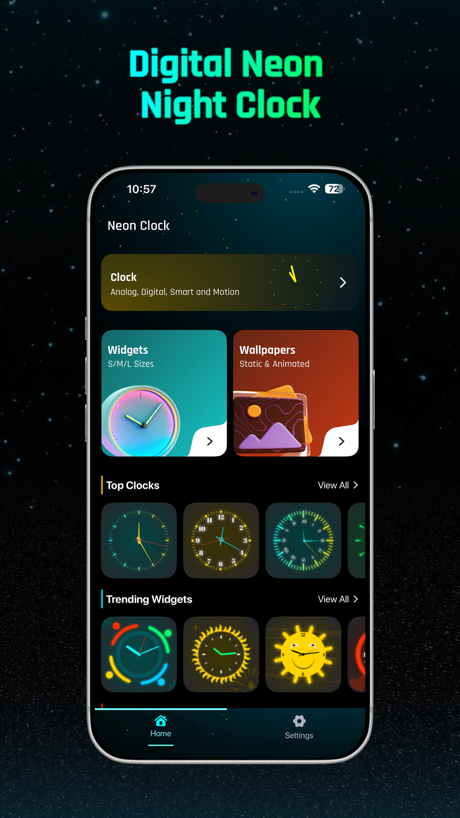
“Digital Neon Night Clock”

“Quickly View Your Cookies”

“Smart Code Editor for Python”

“Take Netlify With You!”
Real headline examples, word for word.
The words on 40 of the 103 that carry any, as each app wrote them.
“#1 Interactive Creation Platform”
Sekai: Create · Remix · Play · #3 · screenshot 1“Talk to Cursor”
Use voice mode to describe ideas and changesCursor · #6 · screenshot 2“Home Efficient Management”
Unified management of multiple devices, clear status at a glanceO-KAM Pro · #9 · screenshot 1“One Click Privacy”
ZenVPN - Free Super Fast VPN · #13 · screenshot 2“Code Smarter and Faster”
Built in AI for generating codePython Coding Editor & IDE App · #16 · screenshot 6“Light and Dark”
themesKoder Code Editor · #26 · screenshot 1“Collect What You Love”
A collector community where every figure, model, and collectible has a story worth sharing.Goiey - Collect, Share, Chat · #32 · screenshot 4“See App Rankings Around the World”
Appboard: App Rankings · #33 · screenshot 1“Digital Neon Night Clock”
Digital Neon Night Clock · #37 · screenshot 1“Quickly View Your Cookies”
Cookie-Editor · #41 · screenshot 1“Smart Code Editor for Python”
Python Coding · #42 · screenshot 1“Take Netlify With You!”
Dashify for Netlify.com · #43 · screenshot 1“DEVICE and SENSOR Information”
View detailed information about your DEVICE.Device Monitor² · #45 · screenshot 1“Read/Write Data”
HEX & ASCII SupportBluetoothAssistant · #47 · screenshot 5“Reach Everywhere Unlimited Traffic”
V2Lite VPN - Super VPN Proxy · #48 · screenshot 1- Zhenyi Tan
“And Editing the HTML”
Web Inspector · #52 · screenshot 4 “Code Editor, SFTP Client, SSH Terminal”
Textastic Code Editor · #53 · screenshot 1“From Idea to App”
In minutes“Every retry costs, plan smart build once.”AI App Builder Architect · #54 · screenshot 1“Connect in One Tap Fast & Secure”
Termiux · #55 · screenshot 3“Code On the go”
Start coding nowOpenCode Mobile App · #57 · screenshot 1“Sniff HTTP&HTTPS”
Stream - Network Debug Tool · #58 · screenshot 1“Take N8N With You!”
N8N Automations — Nathan · #59 · screenshot 1“Smart Bluetooth Tools”
Manage all connections in one appBluetooth Auto Connect · #64 · screenshot 4“Base set of UNIX Tools”
Blink Shell, Build & Code · #67 · screenshot 2“Your Local AI Fully Private”
Reins: for Ollama & LM Studio · #68 · screenshot 1“Edit Text File”
From your device or any cloud serviceText Editor. · #70 · screenshot 1“Build Your Own Portfolio”
Organize and manage all of your game projects in one place.GameForge AI: Code & Build · #71 · screenshot 1- FEICHI · PRIVATE PASSAGE
“Feichi Passage Light Launch”
Secure exits, connection time and membership benefits live in one clean pan...VPN - Feichi · #73 · screenshot 1 “Your Dashboard at a Glance”
Proxmox VE Companion · #76 · screenshot 1“Live Preview Rendering”
HTML Editor · #77 · screenshot 2“Bring 3D Worlds to Life”
Xogot: Godot for iPad & iPhone · #79 · screenshot 1“Code With AI.”
Understand your code faster with built-in AI assistance.Pyroid · #80 · screenshot 2“Beautiful Dark Mode”
Subtext · #85 · screenshot 2“Spin the Wheel”
Let's Spin!Wheel of Names: Random Picker · #88 · screenshot 1“Multiple - Themes Search & Replace Custom Font & Size Shortcuts & Tree View”
HTML Viewer : Editor & Creator · #90 · screenshot 3“Provider-agnostic Trojan Client”
avoGate · #93 · screenshot 1“Command Prompt For iOS”
Command Prompt CMD is the ultimate network diagnostic tool for iOS.CMD: SSH, Terminal, DOS, Ping · #95 · screenshot 1“Your Trusted SSH Client”
Since 2012 !WebSSH - Sysadmin Toolbox · #97 · screenshot 1“Keep Your Models in One Place”
Access your files anytime from your librarySTL & 3D Model Viewer - Mes3D · #98 · screenshot 1“Discover Endless Apps”
Sekai: Create · Remix · Play · #3 · screenshot 5
Top ten Developer Tools apps that do it.
- #3Sekai: Create · Remix · Play3 of its 6 screenshots
- #6Cursor1 of its 6 screenshots
- #9O-KAM Pro1 of its 5 screenshots
The same tactic in other categories.
| Category | Apps that do it | Screenshots | Top ten |
|---|---|---|---|
| Graphics & Design | 62% 61 of 99 | 37% 211 of 564 | 6 of 10 |
| Reference | 61% 61 of 100 | 36% 201 of 566 | 5 of 10 |
| Utilities | 46% 46 of 100 | 27% 148 of 549 | 4 of 10 |
| Developer Tools | 39% 39 of 100 | 20% 103 of 507 | 3 of 10 |
| Entertainment | 39% 39 of 100 | 23% 125 of 544 | 8 of 10 |
| Music | 39% 39 of 100 | 20% 111 of 550 | 2 of 10 |
| Navigation | 38% 38 of 99 | 22% 123 of 566 | 2 of 10 |
| Health & Fitness | 38% 38 of 100 | 21% 120 of 574 | 4 of 10 |
| Photo & Video | 38% 38 of 100 | 20% 112 of 566 | 1 of 10 |
| Social Networking | 38% 38 of 100 | 18% 102 of 554 | 3 of 10 |
| Education | 36% 36 of 100 | 21% 117 of 555 | 3 of 10 |
| Lifestyle | 33% 33 of 100 | 18% 101 of 556 | 2 of 10 |
| Medical | 33% 33 of 100 | 16% 85 of 548 | 4 of 10 |
| Travel | 33% 33 of 100 | 14% 76 of 561 | 0 of 10 |
| Weather | 33% 33 of 100 | 19% 106 of 555 | 4 of 10 |
| Productivity | 32% 32 of 99 | 19% 104 of 551 | 0 of 10 |
| Food & Drink | 32% 32 of 100 | 18% 95 of 540 | 0 of 10 |
| Shopping | 31% 31 of 100 | 15% 87 of 562 | 2 of 10 |
| News | 22% 22 of 98 | 13% 65 of 517 | 2 of 10 |
| Finance | 22% 22 of 100 | 10% 56 of 581 | 2 of 10 |
| Sports | 20% 20 of 100 | 12% 66 of 558 | 2 of 10 |
| Games | 19% 19 of 100 | 9% 49 of 567 | 2 of 10 |
| Business | 16% 16 of 100 | 5% 26 of 554 | 0 of 10 |
Related tactics.
Often on the same screenshot
- Headline under five words84% of these screenshots, against 50% of all Developer Tools screenshots
- Has a headline100% of these screenshots, against 74% of all Developer Tools screenshots
- Words at the top93% of these screenshots, against 68% of all Developer Tools screenshots
- Leads with a feature71% of these screenshots, against 54% of all Developer Tools screenshots
- Background is the icon’s colour39% of these screenshots, against 23% of all Developer Tools screenshots
- Plain tone69% of these screenshots, against 54% of all Developer Tools screenshots
More in words
- Has a headline76%
- Headline under five words68%
- Tells you to do something56%
- Says “you” or “your”53%
- Has a subline40%
- No words at all33%
- Headline on one line32%
- Names the app14%
- Headline over eight words12%
- Uses a number11%
- Has a kicker9%
- Exclaims7%
- Headline in capitals6%
- Names another app3%
- Says “I” or “my”3%
- Uses an emoji2%
- Asks a question1%
Questions, answered from the chart.
How many top Developer Tools apps have title case App Store screenshot headlines?
Which Developer Tools apps have title case App Store screenshot headlines?
Should my Developer Tools app have title case App Store screenshot headlines?
See your own app against this.
Pagefully reads your screenshots the same way, and makes a custom product page for each search people type, from your real screens.
Preview your pages