Teal Lifestyle app screenshots
Teal is the main colour.
From the top 100 free Lifestyle apps on the US App Store, read on October 9, 2026. Screenshots are the developers’ own, shown from Apple’s servers with a link to each app.
The numbers
39 of the 556 Lifestyle screenshots read (7%) do this, across 13 of the top 100 apps (13%). 1 of the top ten do it (10%), against 12 of the other 90 (13%): the top ten do it about as often as the rest. Of the 23 categories read so far, Lifestyle is 20th for this. It is most common in Medical (30% of apps) and least common in News (9%).
12 examples from the chart.
12 of the 39 teal Lifestyle app screenshots, one from each app, the highest on the chart first.

“Get real-time alerts the moment motion is detected or someone arrives at your door.”

“#1 BOOKING APP”


“House cleaning Handyman Appliance repair or maintenance Local moving Lawn mowing and trimming Electrical and wiring repair”
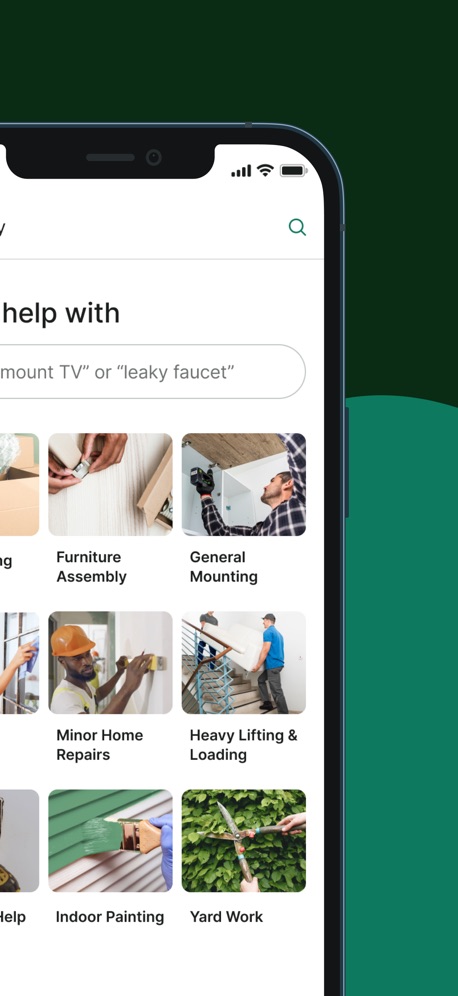

“Track Your Sobriety”

“Understand Your Blood Sugar”

“Earn points by joining a loyalty program with one tap.”

“Smarter Home Security”

“One app for all Nest products: Home is at your fingertips.”

“Get Cash & Free Gift Cards”
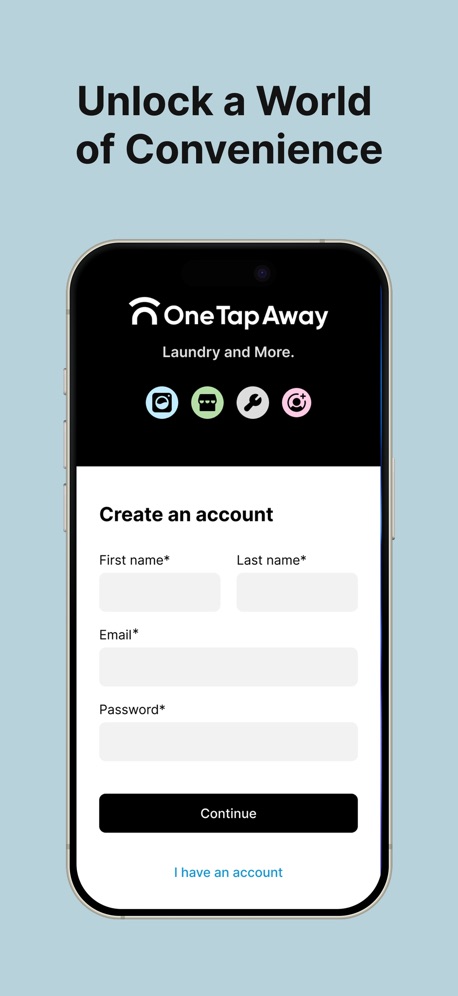
“Unlock a World of Convenience”
What these screenshots say, word for word.
The words on all 33 that carry any, as each app wrote them.
“Get real-time alerts the moment motion is detected or someone arrives at your door.”
Ring - Always Home · #4 · screenshot 5- The
“#1 BOOKING APP”
ratedBooksy for Customers · #13 · screenshot 1 “House cleaning Handyman Appliance repair or maintenance Local moving Lawn mowing and trimming Electrical and wiring repair”
Thumbtack: Home Service Pros · #39 · screenshot 3“Get the job done right with trusted Taskers, book instantly and stress less!”
Taskrabbit - Handyman & more · #50 · screenshot 3“Track Your Sobriety”
I Am Sober · #54 · screenshot 2“Understand Your Blood Sugar”
Glucera: Blood Sugar Tracker · #85 · screenshot 1“Earn points by joining a loyalty program with one tap.”
PetDesk · #86 · screenshot 2“Smarter Home Security”
Arlo Secure: Home Security · #87 · screenshot 1“One app for all Nest products: Home is at your fingertips.”
Nest · #88 · screenshot 1“Get Cash & Free Gift Cards”
Swagbucks: Earn Real Rewards · #90 · screenshot 1“Unlock a World of Convenience”
One Tap Away · #92 · screenshot 1“Earn money in your free time!”
BeMyEye - Earn money · #97 · screenshot 1“Find TOP PROS nearby”
Booksy for Customers · #13 · screenshot 4“Monitor Your Progress”
I Am Sober · #54 · screenshot 3“See Trends That Matter”
Glucera: Blood Sugar Tracker · #85 · screenshot 2“Protect Your Everything”
Arlo Secure: Home Security · #87 · screenshot 2“Play Games Keep Playing!”
Swagbucks: Earn Real Rewards · #90 · screenshot 2“New amenities are One Tap Away”
One Tap Away · #92 · screenshot 2“Do short missions in the stores around you”
BeMyEye - Earn money · #97 · screenshot 2“Reach Your Recovery Goals”
I Am Sober · #54 · screenshot 4“Track Meds & Insulin”
Glucera: Blood Sugar Tracker · #85 · screenshot 3“Act faster with smart notifications that tell you if a person, package, vehicle, or animal has been detected.¹”
Arlo Secure: Home Security · #87 · screenshot 3“Take Surveys”
Swagbucks: Earn Real Rewards · #90 · screenshot 3“Wash laundry via cashless transactions”
One Tap Away · #92 · screenshot 3“Collect information directly through your phone”
BeMyEye - Earn money · #97 · screenshot 3“Build Better Habits”
I Am Sober · #54 · screenshot 5“Get Instant Health Insight”
Glucera: Blood Sugar Tracker · #85 · screenshot 4“Get the best deals from our partners”
One Tap Away · #92 · screenshot 4“You are paid after each mission you complete”
BeMyEye - Earn money · #97 · screenshot 5“Get Community Support”
I Am Sober · #54 · screenshot 6“Share Clear Health Reports”
Glucera: Blood Sugar Tracker · #85 · screenshot 5“Download the app now to see the missions available near you!”
BeMyEye - Earn money · #97 · screenshot 6“Log Readings In Seconds”
Glucera: Blood Sugar Tracker · #85 · screenshot 6
Top ten Lifestyle apps that do it.
- #4Ring - Always Home1 of its 5 screenshots
The same tactic in other categories.
| Category | Apps that do it | Screenshots | Top ten |
|---|---|---|---|
| Medical | 30% 30 of 100 | 18% 100 of 548 | 3 of 10 |
| Weather | 25% 25 of 100 | 9% 48 of 555 | 2 of 10 |
| Games | 23% 23 of 100 | 7% 40 of 567 | 2 of 10 |
| Reference | 23% 23 of 100 | 10% 55 of 566 | 2 of 10 |
| Navigation | 22% 22 of 99 | 10% 58 of 566 | 3 of 10 |
| Education | 22% 22 of 100 | 6% 36 of 555 | 4 of 10 |
| Photo & Video | 22% 22 of 100 | 5% 31 of 566 | 0 of 10 |
| Music | 21% 21 of 100 | 12% 65 of 550 | 2 of 10 |
| Graphics & Design | 20% 20 of 99 | 7% 38 of 564 | 4 of 10 |
| Health & Fitness | 20% 20 of 100 | 11% 63 of 574 | 2 of 10 |
| Travel | 19% 19 of 100 | 7% 40 of 561 | 1 of 10 |
| Utilities | 19% 19 of 100 | 10% 57 of 549 | 2 of 10 |
| Social Networking | 18% 18 of 100 | 9% 48 of 554 | 1 of 10 |
| Business | 17% 17 of 100 | 8% 44 of 554 | 2 of 10 |
| Finance | 17% 17 of 100 | 9% 51 of 581 | 2 of 10 |
| Productivity | 16% 16 of 99 | 8% 46 of 551 | 3 of 10 |
| Entertainment | 15% 15 of 100 | 5% 28 of 544 | 1 of 10 |
| Food & Drink | 15% 15 of 100 | 9% 48 of 540 | 2 of 10 |
| Sports | 15% 15 of 100 | 8% 44 of 558 | 1 of 10 |
| Developer Tools | 13% 13 of 100 | 6% 30 of 507 | 2 of 10 |
| Lifestyle | 13% 13 of 100 | 7% 39 of 556 | 1 of 10 |
| Shopping | 10% 10 of 100 | 5% 26 of 562 | 1 of 10 |
| News | 9% 9 of 98 | 3% 13 of 517 | 3 of 10 |
Related tactics.
Often on the same screenshot
- Headline in Title Case41% of these screenshots, against 18% of all Lifestyle screenshots
- Background is the icon’s colour64% of these screenshots, against 41% of all Lifestyle screenshots
- Gradient background69% of these screenshots, against 49% of all Lifestyle screenshots
- Illustration or mascot46% of these screenshots, against 29% of all Lifestyle screenshots
- Whole phone shown72% of these screenshots, against 58% of all Lifestyle screenshots
- Phone drawn97% of these screenshots, against 85% of all Lifestyle screenshots
More in look
- Light81%
- Gradient background66%
- Background is the icon’s colour58%
- Black, white or grey52%
- Blue48%
- A word in a different colour43%
- Solid background43%
- High contrast words38%
- Low contrast words37%
- Photo background36%
- Dark33%
- Orange26%
- Rounded headline type23%
- Red21%
- Green12%
- Pink12%
- Purple12%
- Serif headline11%
- Pattern or texture10%
- Yellow6%
- Condensed or display type3%
- The app itself is the background2%
Questions, answered from the chart.
How many top Lifestyle apps have teal App Store screenshots?
Which Lifestyle apps have teal App Store screenshots?
Should my Lifestyle app have teal App Store screenshots?
See your own app against this.
Pagefully reads your screenshots the same way, and makes a custom product page for each search people type, from your real screens.
Preview your pages