Reference app screenshots with left-aligned text
The headline is set from the left edge, not centred.
From the top 100 free Reference apps on the US App Store, read on October 9, 2026. Screenshots are the developers’ own, shown from Apple’s servers with a link to each app.
The numbers
94 of the 566 Reference screenshots read (17%) do this, across 31 of the top 100 apps (31%). 1 of the top ten do it (10%), against 30 of the other 90 (33%): the top ten do it less than the rest. Of the 23 categories read so far, Reference is 11th for this. It is most common in Finance (52% of apps) and least common in Graphics & Design (11%).
12 examples from the chart.
12 of the 94 Reference app screenshots with left-aligned text, one from each app, the highest on the chart first.

“Start your day with God's Word”

“Stargazing made easy”

“Know If It's Rare”

“Read the Bible, before you scroll”

“Who's singing?”

“Scan TCG Cards Instantly”
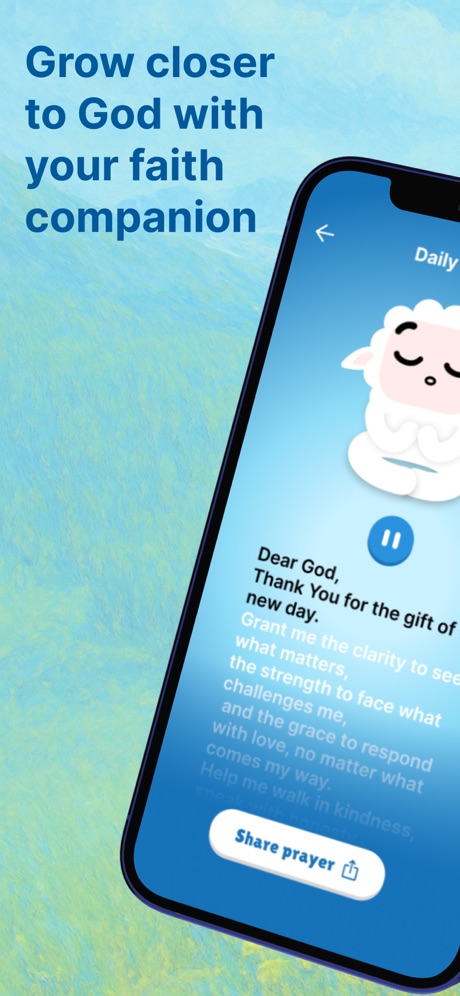
“Grow closer to God with your faith companion”

“Find your ancestors”

“Pokemon & TCG”

“500+ PRACTICAL WOOD PLANS”
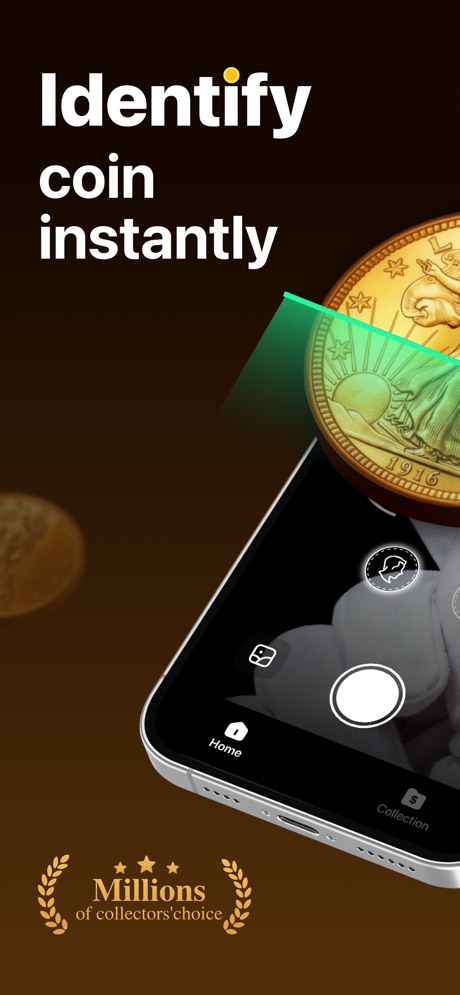
“Identify coin instantly”

“Scan & Identify”
What these screenshots say, word for word.
The words on 40 of the 94 that carry any, as each app wrote them.
“Start your day with God's Word”
from YouVersionBible · #3 · screenshot 1“Stargazing made easy”
Sky Guide · #12 · screenshot 1“Know If It's Rare”
CoinSnap: Coin Identifier · #18 · screenshot 2“Read the Bible, before you scroll”
BibleScroll: Christian Focus · #22 · screenshot 1“Who's singing?”
Merlin Bird ID can tell youMerlin Bird ID by Cornell Lab · #24 · screenshot 1“Scan TCG Cards Instantly”
TCG Card Scanner - FoilSnap · #25 · screenshot 1“Grow closer to God with your faith companion”
Creed: Bible Chat & Companion · #26 · screenshot 1“Find your ancestors”
Ancestry: Family History & DNA · #28 · screenshot 1“Pokemon & TCG”
CCN: TCG & Collectible Alerts · #30 · screenshot 1“500+ PRACTICAL WOOD PLANS”
WoodSense: Wood Plans & Guides · #31 · screenshot 1“Identify coin instantly”
AI CoinScan: Coin ID & Value · #34 · screenshot 1“Scan & Identify”
AntiqSnap: Antique Identifier · #36 · screenshot 1“scan minifigs. track value.”
scan thousands of minifigs and sets.Brickify: Collection Tracker · #38 · screenshot 2“Merriam-Webster’s Dictionary and Thesaurus”
America’s most trusted dictionary available wherever you are!Merriam-Webster Dictionary · #50 · screenshot 1- Identify
“antiques & vintage items with a snap.”
Curio - Antique Identifier · #52 · screenshot 1 “Auto Clicker”
Automate Taps EffortlesslyAuto Clicker: Tap Automation · #57 · screenshot 1“Bible Verse Widgets for Lock Screen”
#Bible - Verse of the Day · #65 · screenshot 4“Set Up Every Echo In Seconds”
Alexa App Set Up All Echo · #66 · screenshot 1“CINEMATIC BIBLE STORIES”
New episodes every weekSacred Shorts: Bible Videos · #69 · screenshot 2“Экзамен 2026 как в ГИБДД”
Официальное приложениеБилеты ПДД 2026: экзамен ГИБДД · #70 · screenshot 1“Translate with the world's most accurate AI translator”
DeepL Translate · #71 · screenshot 1“Camera Translator”
Translate One: AI Translator · #72 · screenshot 1“Level Up Your Vocabulary”
Oxford Dictionary & Thesaurus · #74 · screenshot 2“WHAT IS THAT BRIGHT DOT IN THE SKY?”
Sky Tonight - Stargazing Guide · #75 · screenshot 1- Est.1992
“Better Understand Your Bible”
Logos Bible · #77 · screenshot 1 “LIVE SPORT, ALWAYS ON!”
Streameast - Live sports, IPTV · #80 · screenshot 1“Search Public Records”
BeenVerified: People Search · #84 · screenshot 1“Recite Daily with Guidance & Translation in Your Language”
Muslim Pro: Quran & Athan · #85 · screenshot 2“Sewing Quilting Made Easy”
Sewpal: Sewing Pattern & Guide · #87 · screenshot 1“Develop a deeper, daily connection with God”
Lectio 365: Daily Bible Prayer · #90 · screenshot 1- Viva VPN
“Top-Tier VPN. Military-Grade Shield”
Viva VPN - Fast & Secure Proxy · #93 · screenshot 1 “Get Grading Analysis”
CoinSnap: Coin Identifier · #18 · screenshot 3“Discover species near you”
Merlin Bird ID by Cornell Lab · #24 · screenshot 4“Estimate Your Card's Grade”
TCG Card Scanner - FoilSnap · #25 · screenshot 2“Uncover your unique DNA story”
Ancestry: Family History & DNA · #28 · screenshot 2“SEE HOW IT'S BUILT”
WoodSense: Wood Plans & Guides · #31 · screenshot 2“Get Market Value”
AntiqSnap: Antique Identifier · #36 · screenshot 2“card scanner. every TCG.”
pokemon and magic scanner in one place.Brickify: Collection Tracker · #38 · screenshot 3“ASK THE BIBLE ANYTHING”
Faith, prayer, forgiveness and moreSacred Shorts: Bible Videos · #69 · screenshot 4“Актуальные билеты”
Обновление 2026Билеты ПДД 2026: экзамен ГИБДД · #70 · screenshot 2
Top ten Reference apps that do it.
- #3Bible1 of its 6 screenshots
The same tactic in other categories.
| Category | Apps that do it | Screenshots | Top ten |
|---|---|---|---|
| Finance | 52% 52 of 100 | 30% 174 of 581 | 6 of 10 |
| Medical | 41% 41 of 100 | 21% 114 of 548 | 4 of 10 |
| Travel | 41% 41 of 100 | 19% 109 of 561 | 6 of 10 |
| Food & Drink | 38% 38 of 100 | 18% 96 of 540 | 4 of 10 |
| Social Networking | 37% 37 of 100 | 15% 81 of 554 | 3 of 10 |
| Utilities | 37% 37 of 100 | 14% 78 of 549 | 5 of 10 |
| Business | 36% 36 of 100 | 19% 104 of 554 | 2 of 10 |
| Lifestyle | 36% 36 of 100 | 14% 79 of 556 | 5 of 10 |
| Shopping | 34% 34 of 100 | 19% 108 of 562 | 4 of 10 |
| Navigation | 31% 31 of 99 | 14% 77 of 566 | 2 of 10 |
| Music | 31% 31 of 100 | 12% 64 of 550 | 5 of 10 |
| Reference | 31% 31 of 100 | 17% 94 of 566 | 1 of 10 |
| Education | 30% 30 of 100 | 13% 71 of 555 | 4 of 10 |
| Health & Fitness | 29% 29 of 100 | 11% 64 of 574 | 3 of 10 |
| Productivity | 26% 26 of 99 | 13% 70 of 551 | 2 of 10 |
| Developer Tools | 25% 25 of 100 | 14% 71 of 507 | 2 of 10 |
| Weather | 24% 24 of 100 | 10% 53 of 555 | 1 of 10 |
| News | 23% 23 of 98 | 10% 51 of 517 | 2 of 10 |
| Sports | 23% 23 of 100 | 9% 52 of 558 | 1 of 10 |
| Photo & Video | 22% 22 of 100 | 13% 73 of 566 | 1 of 10 |
| Entertainment | 21% 21 of 100 | 10% 52 of 544 | 0 of 10 |
| Games | 13% 13 of 100 | 6% 36 of 567 | 1 of 10 |
| Graphics & Design | 11% 11 of 99 | 3% 18 of 564 | 0 of 10 |
Related tactics.
Often on the same screenshot
- Solid background43% of these screenshots, against 27% of all Reference screenshots
- High contrast words37% of these screenshots, against 25% of all Reference screenshots
- Headline in capitals19% of these screenshots, against 9% of all Reference screenshots
- Headline readable at thumbnail size48% of these screenshots, against 39% of all Reference screenshots
- Pattern or texture16% of these screenshots, against 7% of all Reference screenshots
- Has a headline100% of these screenshots, against 92% of all Reference screenshots
More in layout
- Phone drawn99%
- Screen fills the picture99%
- Whole phone shown95%
- Words at the top91%
- A photograph88%
- Headline readable at thumbnail size78%
- Illustration or mascot70%
- Phone cut off at the foot60%
- Arrows or callouts53%
- A person in the picture50%
- Headline too small to read42%
- App icon shown41%
- A hand holds the phone28%
- No phone, bare screen27%
- Zoomed detail of the UI26%
- No app screen at all21%
- Two or more screens21%
- Phone cut off at the head19%
- Phone at an angle14%
- Words at the bottom13%
- Screen is small11%
- Watch, iPad or Mac beside it10%
- Words over the screen8%
Questions, answered from the chart.
How many top Reference apps have App Store screenshots with left-aligned text?
Which Reference apps have App Store screenshots with left-aligned text?
Should my Reference app have App Store screenshots with left-aligned text?
See your own app against this.
Pagefully reads your screenshots the same way, and makes a custom product page for each search people type, from your real screens.
Preview your pages