Reference app screenshots with a phone cropped below
The device runs off the bottom edge. Cropping the device at the bottom lets it be drawn larger, so the top of the screen is easier to read.
From the top 100 free Reference apps on the US App Store, read on October 9, 2026. Screenshots are the developers’ own, shown from Apple’s servers with a link to each app.
The numbers
121 of the 566 Reference screenshots read (21%) do this, across 60 of the top 100 apps (60%). 3 of the top ten do it (30%), against 57 of the other 90 (63%): the top ten do it less than the rest. Of the 23 categories read so far, Reference is 5th for this. It is most common in Finance (70% of apps) and least common in Games (6%).
12 examples from the chart.
12 of the 121 Reference app screenshots with a phone cropped below, one from each app, the highest on the chart first.

“Voice Translator”

“A Plan For Every Season Of Life”

“Real-Time Insights”

“Headphone - Voice translator”

“Your guide to the stars, planets & more”
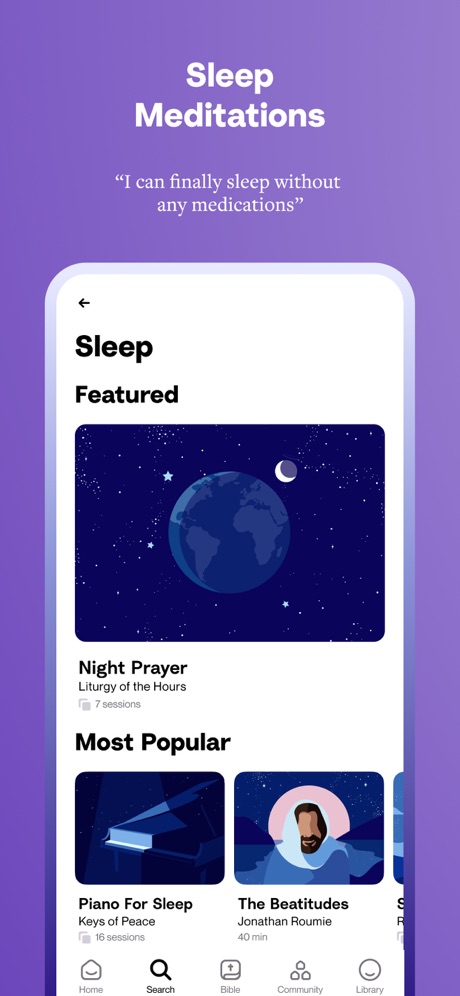
“Sleep Meditations”

“Bible Study Made Simple”

“Scan Coins See Price”

“Voice Translator”

“1.7 BILLION STARS”

“Coin Grading And Value”
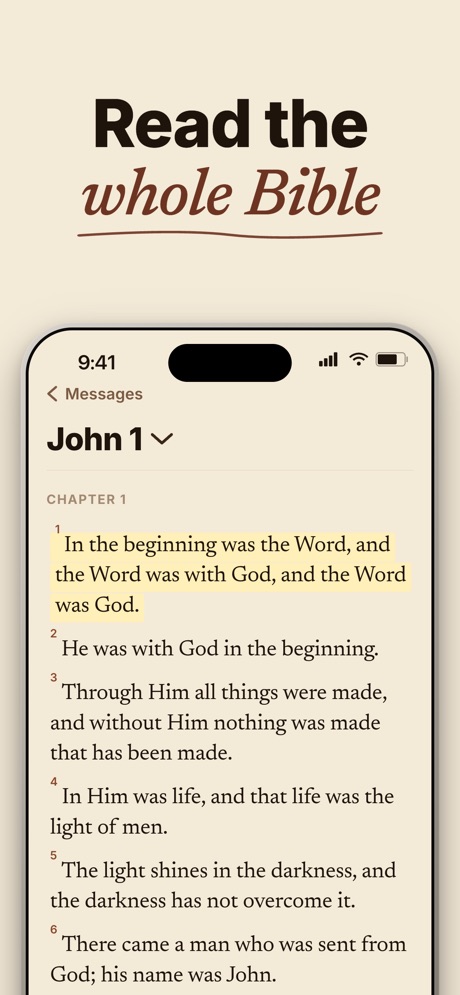
“Read the whole Bible”
What these screenshots say, word for word.
The words on 40 of the 120 that carry any, as each app wrote them.
“Voice Translator”
Translate Now - AI Translator · #4 · screenshot 1“A Plan For Every Season Of Life”
Step-by-step Bible journeys for whatever you're going through.Bible Chat: Daily Devotional · #5 · screenshot 4“Real-Time Insights”
Stay updated with card values, trends, and market changes. Make informed decisions about your collection.Collectr - TCG Collector App · #10 · screenshot 3“Headphone - Voice translator”
Live Translator - AI Translate · #11 · screenshot 1“Your guide to the stars, planets & more”
Sky Guide · #12 · screenshot 3“Sleep Meditations”
“I can finally sleep without any medications”“I can finally sleep without any medications”Hallow: Prayer & Meditation · #15 · screenshot 4“Bible Study Made Simple”
Haven - Bible Chat · #16 · screenshot 1“Scan Coins See Price”
22 Million+ Users | APP of the dayCoinSnap: Coin Identifier · #18 · screenshot 1“Voice Translator”
Smart Translator: AI Translate · #19 · screenshot 1“1.7 BILLION STARS”
On Night SkyStar Gazer - Astronomy Sky Map · #20 · screenshot 1“Coin Grading And Value”
CoinIn: Coin Scan Identifier · #21 · screenshot 4“Read the whole Bible”
BibleScroll: Christian Focus · #22 · screenshot 6“BLOOD SUGAR TRACKER -AI HEALTH”
Blood Sugar Tracker-AI Health · #23 · screenshot 2“Collaborate with family on your journey”
Ancestry: Family History & DNA · #28 · screenshot 5“Offline Translation”
Translate AI - Live Translate · #29 · screenshot 5“Never Miss A Release”
CCN: TCG & Collectible Alerts · #30 · screenshot 4“500+ PRACTICAL WOOD PLANS”
WoodSense: Wood Plans & Guides · #31 · screenshot 1“Track Your Portfolio”
See your collection's estimated value and performance over time.PSA: Card Tracking & Grading · #32 · screenshot 4- ★ BUILT WITH COLLECTORS
“Trusted by 30,000+ Collectors”
Real-time alerts backed by collectors calling out drops every day.“Helped me catch drops I would have missed.”PokeNotify: TCG Restock Alerts · #33 · screenshot 6 “Free, open, and ad-free”
Wikipedia · #35 · screenshot 1“Scan & Identify”
AntiqSnap: Antique Identifier · #36 · screenshot 1“Bible stories told Modern & Simple”
Bible Bff-Modern Bible Stories · #37 · screenshot 2“LIVE Broadcast”
TYPA - Restock Alerts Tracker · #39 · screenshot 6“Deal Alerts”
Get notified when items in your wishlist are listed under market valuePriceCharting: TCG, Games+ · #41 · screenshot 4“Receipts Line by Line”
Know exactly what you paid forKuli Kuli: Travel Translator · #42 · screenshot 5“Verse Tap Menu”
Just tap a Bible verse to make your favorite BLB resources and study tools appear.Blue Letter Bible · #43 · screenshot 2“Find Your Grails”
Browse expertly-curated modern, vintage, and exclusive TCG products 24/7Rare Candy: Scan Pokémon Cards · #45 · screenshot 1“Go deeper, topic by topic”
Faithe: Bible Videos & Stories · #48 · screenshot 2“Grow Closer After Every Salah”
A daily plan fitted around your five prayers.Niyat: Quran, Prayer & Dua · #49 · screenshot 4“Merriam-Webster’s Dictionary and Thesaurus”
America’s most trusted dictionary available wherever you are!Merriam-Webster Dictionary · #50 · screenshot 1“Track Your Collection's True Worth”
Find all value, trends & market shifts.Cardly AI: Sports Card Scanner · #53 · screenshot 4“Easily translate texts in photos.”
Naver Papago - AI Translator · #54 · screenshot 2“Read Bible on your Lock Screen”
Holy Bible Widget: Daily Verse · #55 · screenshot 1- theo -Prayer & Meditation-
“Pray, Learn, Grow Closer to God Together”
Theo: Prayer & Meditation · #61 · screenshot 1 “Capture Every Sermon & Prayer.”
One tap to record every moment.Bible Note: Sermon Notes · #63 · screenshot 1“Bible Verse Widgets for Lock Screen”
#Bible - Verse of the Day · #65 · screenshot 4“SET UP CONTROL ALL ECHO”
Alexa App Set Up All Echo · #66 · screenshot 2“Real-time Voice Translator”
Business, Meetings, ClasseseTranslator-AI Translate · #67 · screenshot 2“Rest your thoughts”
Reconnect your spiritAbide: Bible Prayer Meditation · #68 · screenshot 2“Say the same, but differently with alternatives”
DeepL Translate · #71 · screenshot 4
Top ten Reference apps that do it.
- #4Translate Now - AI Translator3 of its 6 screenshots
- #5Bible Chat: Daily Devotional2 of its 6 screenshots
- #10Collectr - TCG Collector App2 of its 6 screenshots
The same tactic in other categories.
| Category | Apps that do it | Screenshots | Top ten |
|---|---|---|---|
| Finance | 70% 70 of 100 | 33% 191 of 581 | 6 of 10 |
| Food & Drink | 62% 62 of 100 | 23% 122 of 540 | 5 of 10 |
| Health & Fitness | 62% 62 of 100 | 25% 145 of 574 | 5 of 10 |
| Business | 61% 61 of 100 | 21% 119 of 554 | 7 of 10 |
| Reference | 60% 60 of 100 | 21% 121 of 566 | 3 of 10 |
| Productivity | 53% 52 of 99 | 22% 122 of 551 | 4 of 10 |
| Lifestyle | 50% 50 of 100 | 18% 101 of 556 | 6 of 10 |
| Navigation | 49% 49 of 99 | 17% 95 of 566 | 4 of 10 |
| Utilities | 49% 49 of 100 | 18% 98 of 549 | 4 of 10 |
| Graphics & Design | 47% 47 of 99 | 14% 77 of 564 | 3 of 10 |
| Travel | 47% 47 of 100 | 16% 90 of 561 | 4 of 10 |
| Shopping | 46% 46 of 100 | 18% 102 of 562 | 6 of 10 |
| Medical | 45% 45 of 100 | 16% 90 of 548 | 7 of 10 |
| Music | 44% 44 of 100 | 17% 94 of 550 | 4 of 10 |
| Social Networking | 44% 44 of 100 | 17% 94 of 554 | 5 of 10 |
| Sports | 43% 43 of 100 | 15% 82 of 558 | 6 of 10 |
| News | 41% 40 of 98 | 15% 79 of 517 | 6 of 10 |
| Education | 38% 38 of 100 | 15% 83 of 555 | 5 of 10 |
| Entertainment | 36% 36 of 100 | 12% 65 of 544 | 3 of 10 |
| Weather | 32% 32 of 100 | 11% 63 of 555 | 3 of 10 |
| Photo & Video | 28% 28 of 100 | 10% 57 of 566 | 5 of 10 |
| Developer Tools | 26% 26 of 100 | 10% 52 of 507 | 0 of 10 |
| Games | 6% 6 of 100 | 2% 11 of 567 | 0 of 10 |
Related tactics.
Often on the same screenshot
- Phone drawn100% of these screenshots, against 87% of all Reference screenshots
- Background is the icon’s colour61% of these screenshots, against 49% of all Reference screenshots
- Words at the top94% of these screenshots, against 85% of all Reference screenshots
- Leads with a feature69% of these screenshots, against 60% of all Reference screenshots
- Plain tone88% of these screenshots, against 79% of all Reference screenshots
- Has a headline99% of these screenshots, against 92% of all Reference screenshots
More in layout
- Phone drawn99%
- Screen fills the picture99%
- Whole phone shown95%
- Words at the top91%
- A photograph88%
- Headline readable at thumbnail size78%
- Illustration or mascot70%
- Arrows or callouts53%
- A person in the picture50%
- Headline too small to read42%
- App icon shown41%
- Words aligned left31%
- A hand holds the phone28%
- No phone, bare screen27%
- Zoomed detail of the UI26%
- No app screen at all21%
- Two or more screens21%
- Phone cut off at the head19%
- Phone at an angle14%
- Words at the bottom13%
- Screen is small11%
- Watch, iPad or Mac beside it10%
- Words over the screen8%
Questions, answered from the chart.
How many top Reference apps have App Store screenshots with a phone cropped below?
Which Reference apps have App Store screenshots with a phone cropped below?
Should my Reference app have App Store screenshots with a phone cropped below?
See your own app against this.
Pagefully reads your screenshots the same way, and makes a custom product page for each search people type, from your real screens.
Preview your pages