Medical app screenshots with a phone cropped below
The device runs off the bottom edge. Cropping the device at the bottom lets it be drawn larger, so the top of the screen is easier to read.
From the top 100 free Medical apps on the US App Store, read on October 9, 2026. Screenshots are the developers’ own, shown from Apple’s servers with a link to each app.
The numbers
90 of the 548 Medical screenshots read (16%) do this, across 45 of the top 100 apps (45%). 7 of the top ten do it (70%), against 38 of the other 90 (42%): the top ten do it more than the rest. Of the 23 categories read so far, Medical is 13th for this. It is most common in Finance (70% of apps) and least common in Games (6%).
12 examples from the chart.
12 of the 90 Medical app screenshots with a phone cropped below, one from each app, the highest on the chart first.

“Refill and manage prescriptions for yourself and others”

“Manage Your Personal Health Records & Easily Communicate With Your Doctor’s Office”
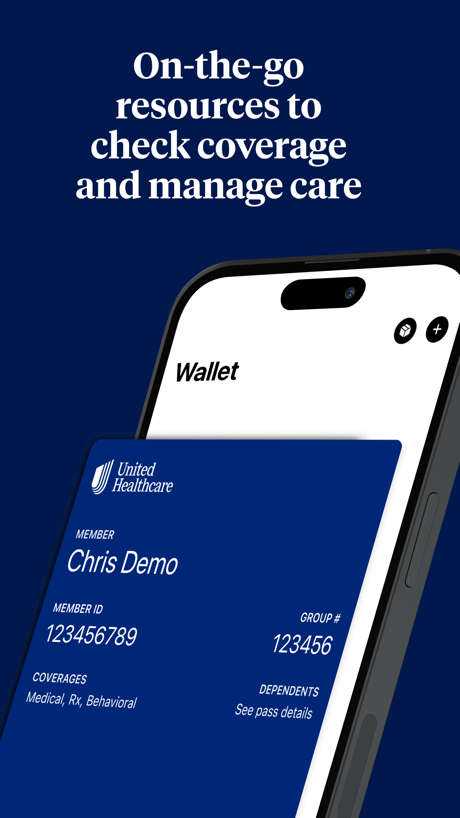
“On-the-go resources to check coverage and manage care”

“Easily login, no username or password required”

“Data storage and analysis”

“Message your care team directly whenever you have questions.”

“Book an appointment”

“Quest made easy”

“Connect anytime, anywhere”

“See your patients wherever they are”
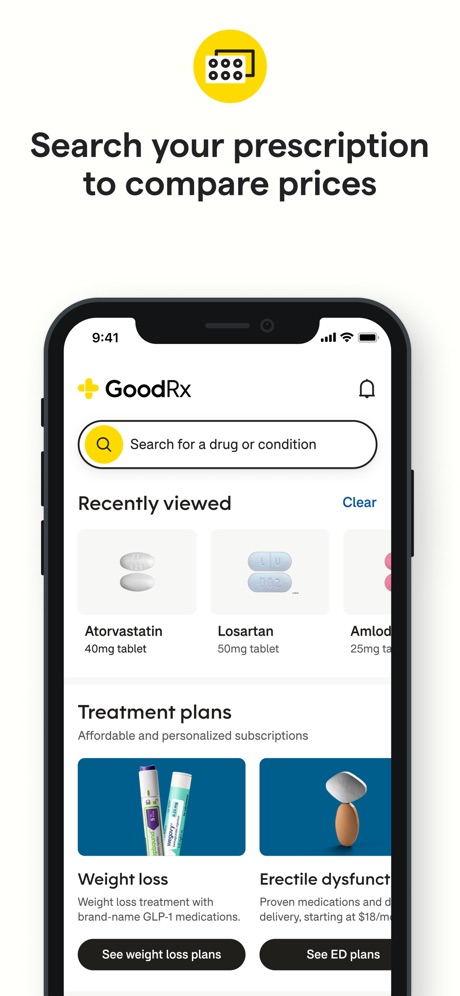
“Search your prescription to compare prices”

“Find Care”
What these screenshots say, word for word.
The words on 40 of the 89 that carry any, as each app wrote them.
“Refill and manage prescriptions for yourself and others”
CVS Health · #2 · screenshot 1“Manage Your Personal Health Records & Easily Communicate With Your Doctor’s Office”
healow · #3 · screenshot 1“On-the-go resources to check coverage and manage care”
UnitedHealthcare · #4 · screenshot 3“Easily login, no username or password required”
SimplePractice Client Portal · #5 · screenshot 3“Data storage and analysis”
Blood Sugar Master · #7 · screenshot 3“Message your care team directly whenever you have questions.”
athenaPatient · #9 · screenshot 3“Book an appointment”
Zocdoc - Find and book doctors · #10 · screenshot 4“Quest made easy”
From preparing for your visit to getting your results, our smart home screen makes each step simple.MyQuest for Patients · #11 · screenshot 1“Connect anytime, anywhere”
Telehealth by SimplePractice · #12 · screenshot 3“See your patients wherever they are”
Klara – Patient communication · #13 · screenshot 2“Search your prescription to compare prices”
GoodRx: Prescription Savings · #14 · screenshot 3“Find Care”
Explore care options and choose your doctor with confidence.Sydney Health · #15 · screenshot 5“Connect with your independent pharmacy”
NimbleRx · #25 · screenshot 2“Achieve your health goals on Ro”
Ro: Online Healthcare · #27 · screenshot 1“Convenient, discreet experience”
Hims: Telehealth for Men · #28 · screenshot 2“Optional glucose alarms* gradually increase in volume.”
Libre by Abbott · #29 · screenshot 5“Schedule Care Easily.”
Aspen Dental Patient · #32 · screenshot 2“America's #1 medical knowledge platform.”
Free for verified U.S. cliniciansOpenEvidence · #33 · screenshot 1- Professionals
“Keep your business number or get a new one”
Spruce: Medical Communication · #40 · screenshot 1 “More Donations, More Rewards!”
Be rewarded for your generosity when you donate plasma.CSL Plasma · #42 · screenshot 3“Find details about health care claims”
UMR | Health · #43 · screenshot 5“Customizable map layers including traffic conditions, highway cameras, and fire station locations.”
PulsePoint Respond · #44 · screenshot 3“MyHealthONE”
Your health, your journeyMyHealthONE · #49 · screenshot 1“Your personalized dashboard”
Lilly Health™ · #50 · screenshot 2“Sign in with Your Ambra Account”
Ambra · #53 · screenshot 2“Manage Your Appointments”
Schedule your next appointment, or view details of your past and upcoming appointments.Intermountain Health · #54 · screenshot 2“Own your schedule”
Clipboard - Workers · #58 · screenshot 2“Schedule your next donation”
Quick and easy appointments at your convenienceGrifols Plasma Donor Hub · #59 · screenshot 3“Schedule and Manage Appointments”
Blood Donor American Red Cross · #62 · screenshot 1“Compare ways to lower your drug costs”
OptumRx · #65 · screenshot 2“Unlock access to your pharmacy benefits.”
mobile appCVS Caremark · #68 · screenshot 1“Share data”
and reports with your doctormySugr - Diabetes Tracker Log · #69 · screenshot 4“Control your Oticon Bluetooth hearing aids discreetly and easily”
Oticon Companion · #70 · screenshot 1“Handle video visits, test results, messaging, and appointments all on your schedule.”
MyBSWHealth · #71 · screenshot 1“Simple access”
NightOwl Companion · #75 · screenshot 2“Expert care available at your fingertips”
Pawp: 24/7 Vet & Pet Care · #77 · screenshot 2“Stay informed”
on what's coming nextWeMoms - Pregnancy & Baby App · #80 · screenshot 3“Card Balance”
Check your card balance in one click!OctaApp - Donate Plasma · #83 · screenshot 2“拍照解读”
报告、皮肤、药盒,一拍秒解阿福 · #91 · screenshot 4“Find care right away”
Oscar Health · #93 · screenshot 2
Top ten Medical apps that do it.
- #2CVS Health2 of its 5 screenshots
- #3healow3 of its 6 screenshots
- #4UnitedHealthcare2 of its 6 screenshots
- #5SimplePractice Client Portal4 of its 6 screenshots
- #7Blood Sugar Master1 of its 5 screenshots
- #9athenaPatient1 of its 6 screenshots
- #10Zocdoc - Find and book doctors1 of its 6 screenshots
The same tactic in other categories.
| Category | Apps that do it | Screenshots | Top ten |
|---|---|---|---|
| Finance | 70% 70 of 100 | 33% 191 of 581 | 6 of 10 |
| Food & Drink | 62% 62 of 100 | 23% 122 of 540 | 5 of 10 |
| Health & Fitness | 62% 62 of 100 | 25% 145 of 574 | 5 of 10 |
| Business | 61% 61 of 100 | 21% 119 of 554 | 7 of 10 |
| Reference | 60% 60 of 100 | 21% 121 of 566 | 3 of 10 |
| Productivity | 53% 52 of 99 | 22% 122 of 551 | 4 of 10 |
| Lifestyle | 50% 50 of 100 | 18% 101 of 556 | 6 of 10 |
| Navigation | 49% 49 of 99 | 17% 95 of 566 | 4 of 10 |
| Utilities | 49% 49 of 100 | 18% 98 of 549 | 4 of 10 |
| Graphics & Design | 47% 47 of 99 | 14% 77 of 564 | 3 of 10 |
| Travel | 47% 47 of 100 | 16% 90 of 561 | 4 of 10 |
| Shopping | 46% 46 of 100 | 18% 102 of 562 | 6 of 10 |
| Medical | 45% 45 of 100 | 16% 90 of 548 | 7 of 10 |
| Music | 44% 44 of 100 | 17% 94 of 550 | 4 of 10 |
| Social Networking | 44% 44 of 100 | 17% 94 of 554 | 5 of 10 |
| Sports | 43% 43 of 100 | 15% 82 of 558 | 6 of 10 |
| News | 41% 40 of 98 | 15% 79 of 517 | 6 of 10 |
| Education | 38% 38 of 100 | 15% 83 of 555 | 5 of 10 |
| Entertainment | 36% 36 of 100 | 12% 65 of 544 | 3 of 10 |
| Weather | 32% 32 of 100 | 11% 63 of 555 | 3 of 10 |
| Photo & Video | 28% 28 of 100 | 10% 57 of 566 | 5 of 10 |
| Developer Tools | 26% 26 of 100 | 10% 52 of 507 | 0 of 10 |
| Games | 6% 6 of 100 | 2% 11 of 567 | 0 of 10 |
Related tactics.
Often on the same screenshot
- Words at the top97% of these screenshots, against 75% of all Medical screenshots
- States a benefit57% of these screenshots, against 38% of all Medical screenshots
- Plain tone93% of these screenshots, against 75% of all Medical screenshots
- Has a headline99% of these screenshots, against 81% of all Medical screenshots
- Tells you to do something67% of these screenshots, against 49% of all Medical screenshots
- Phone drawn100% of these screenshots, against 83% of all Medical screenshots
More in layout
- Phone drawn99%
- Screen fills the picture99%
- Whole phone shown92%
- Words at the top81%
- Illustration or mascot76%
- A photograph74%
- A person in the picture60%
- Headline readable at thumbnail size58%
- Headline too small to read43%
- Words aligned left41%
- A hand holds the phone30%
- Arrows or callouts30%
- App icon shown27%
- No phone, bare screen26%
- Screen is small24%
- Zoomed detail of the UI22%
- No app screen at all21%
- Phone at an angle20%
- Phone cut off at the head12%
- Two or more screens12%
- Watch, iPad or Mac beside it12%
- Words at the bottom11%
- Words over the screen6%
Questions, answered from the chart.
How many top Medical apps have App Store screenshots with a phone cropped below?
Which Medical apps have App Store screenshots with a phone cropped below?
Should my Medical app have App Store screenshots with a phone cropped below?
See your own app against this.
Pagefully reads your screenshots the same way, and makes a custom product page for each search people type, from your real screens.
Preview your pages