Weather app screenshots filled by the app’s UI
The app’s screen takes most of the picture. The larger the screen is drawn, the more of the interface can be read.
From the top 100 free Weather apps on the US App Store, read on October 9, 2026. Screenshots are the developers’ own, shown from Apple’s servers with a link to each app.
The numbers
495 of the 555 Weather screenshots read (89%) do this, across 100 of the top 100 apps (100%). 10 of the top ten do it (100%), against 90 of the other 90 (100%): the top ten do it about as often as the rest. Of the 23 categories read so far, Weather is 1st for this. It is most common in Entertainment (100% of apps) and least common in Finance (94%).
12 examples from the chart.
12 of the 495 Weather app screenshots filled by the app’s UI, one from each app, the highest on the chart first.

“Keep Dry”

“NOAA Weather Radar Live Map”

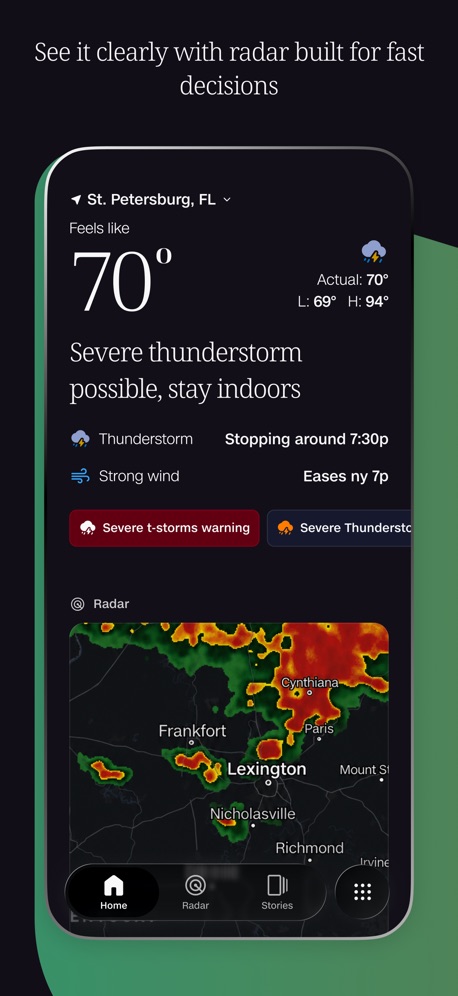
“See it clearly with radar built for fast decisions”
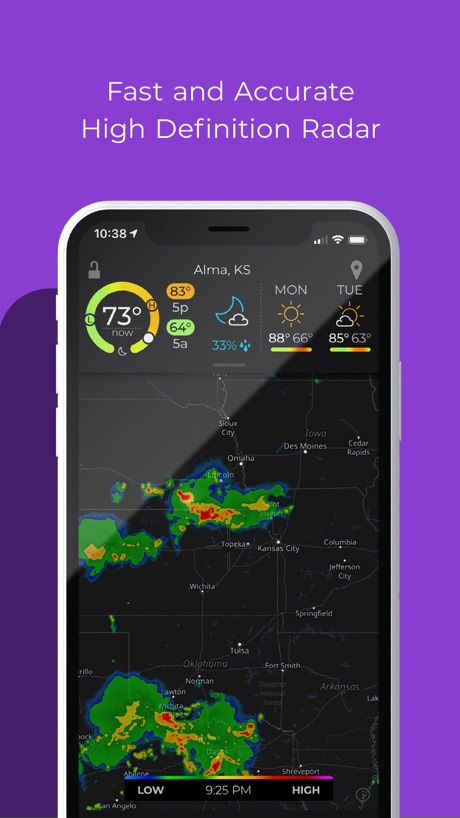
“Fast and Accurate High Definition Radar”

“Real-time 3D Radar”


“Keep track of the weather”
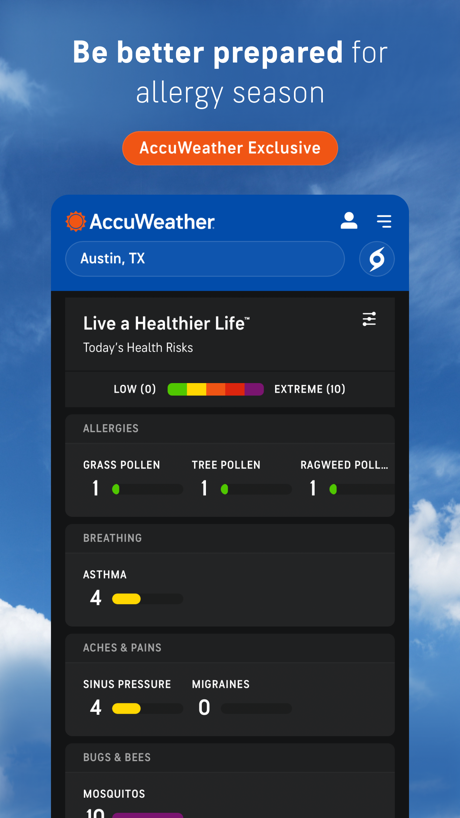
“Be better prepared for allergy season”

“Rain & Snow”

“LIVE RAIN MAP RADAR & FORECAST”

“NOAA weather radar live”
What these screenshots say, word for word.
The words on 40 of the 306 that carry any, as each app wrote them.
“Keep Dry”
Track heavy rain before it hits youThe Weather Channel - Radar · #1 · screenshot 1“NOAA Weather Radar Live Map”
NOAA Weather Radar Live Map · #2 · screenshot 1“See it clearly with radar built for fast decisions”
CNN Weather · #4 · screenshot 1“Fast and Accurate High Definition Radar”
MyRadar Accurate Weather Radar · #5 · screenshot 1“Real-time 3D Radar”
WeatherWise.app · #6 · screenshot 1“Keep track of the weather”
Hi Weather · #8 · screenshot 1“Be better prepared for allergy season”
AccuWeather: Weather Forecast · #9 · screenshot 3“Rain & Snow”
on weather radarWindy.com · #10 · screenshot 1“LIVE RAIN MAP RADAR & FORECAST”
Zoom Earth - Weather Forecast · #11 · screenshot 1“NOAA weather radar live”
Clime: NOAA Weather Radar Live · #12 · screenshot 1“ONE STOP SHOP”
Say goodbye to opening multiple apps & browser tabs to view weather data - WeatherFront is THE hub for all your weather monitoring and forecasting needs.WeatherFront - Radar & Models · #14 · screenshot 1“11 Billion+ weather alerts sent last year”
WeatherBug: Weather Forecast · #15 · screenshot 1“24-Hour Future Radar”
See storms before they hitSKAI - NOAA Weather Radar · #16 · screenshot 1“FORECAST WITH CONFIDENCE”
FOX Weather: Daily Forecasts · #18 · screenshot 1“25 million weather enthusiasts”
Windy.app — Wind, Tides, Radar · #19 · screenshot 1“All weather on one radar.”
Weather & Radar · #22 · screenshot 1“Today's Weather Conditions”
Weather Underground: Local Map · #23 · screenshot 3“Make the most of this nice weather that I generated for you. Or else.”
CARROT Weather: Alerts & Radar · #24 · screenshot 1“Gentle Reminders”
Temp Changes, Smart TipsWeatherly:Forecast&Radar · #26 · screenshot 1“Real-Time NOAA Radar & Weather Forecast”
NOAA Live Weather Radar · #27 · screenshot 1“Road Conditions Weather Tracker”
Drive Weather with Live Radar · #28 · screenshot 3“Plan your day hour by hour”
Weather & Rain Radar Forecast · #29 · screenshot 1“HURRICANE TRACKER THE ULTIMATE STORM TRACKING APP!”
Push Alerts By Region ⚫ Sliding Icon Dock ⚫ Simple To Use Interface ⚫ 65+ Storm Graphics ⚫ Set Default Basin ⚫ Detailed Analysis ⚫ Official NHC Data ⚫ And Much More!Hurricane Tracker · #30 · screenshot 1“Track Storms Like A Pro”
Storm Radar: Weather Tracker · #31 · screenshot 1“Get Real-Time Weather Alerts”
Turn on push notifications so Beacon can warn you the moment severe weather is headed your way.“Never get caught in a storm.”Islandwide Weather · #33 · screenshot 2“Be Disaster Ready”
FEMA · #36 · screenshot 1“Rain Totals For Any Location”
RainDrop - Rain Totals & Radar · #37 · screenshot 1“Know before you go”
Surfline: Wave & Surf Reports · #38 · screenshot 1“Weather. On Your Route.”
Weather on the Way · #39 · screenshot 1“Receive Current Local Weather Alerts”
Emergency: Severe Weather App · #40 · screenshot 1“NOAA weather radar Live”
NOAA: Weather Radar & Forecast · #41 · screenshot 1“GET AHEAD OF YOUR GAME”
DeerCast-Prep. Predict. Pursue · #42 · screenshot 1“BEST HOUR”
Go out when odds peakAuroraMe: Aurora Forecast Map · #43 · screenshot 1“Daily Moon Tips & Practices”
MoonX: Moon Calendar for Life · #45 · screenshot 2“Smile every time you check the weather!”
Weather Kitty: Weather + Radar · #46 · screenshot 1“STORM TRACKER”
Storm Tracker° · #47 · screenshot 1- LIVE
“NOAA Radar & Weather Forecast”
NOAA Radar & Weather Forecast · #48 · screenshot 1 “Indoor Thermometer”
Check Current Room Temperature In SecondsIndoor Thermometer · #49 · screenshot 1“Weather Radar”
Weather Radar - NOAA Channel · #50 · screenshot 1“Wind and Weather Forecast”
Windfinder: Wind & Weather map · #51 · screenshot 3
Top ten Weather apps that do it.
- #1The Weather Channel - Radar4 of its 6 screenshots
- #2NOAA Weather Radar Live Map6 of its 6 screenshots
- #3Alabama Weather Network6 of its 6 screenshots
- #4CNN Weather6 of its 6 screenshots
- #5MyRadar Accurate Weather Radar5 of its 6 screenshots
- #6WeatherWise.app5 of its 6 screenshots
- #7National Hurricane Center Data6 of its 6 screenshots
- #8Hi Weather5 of its 5 screenshots
- #9AccuWeather: Weather Forecast3 of its 6 screenshots
- #10Windy.com5 of its 6 screenshots
The same tactic in other categories.
| Category | Apps that do it | Screenshots | Top ten |
|---|---|---|---|
| Entertainment | 100% 100 of 100 | 82% 444 of 544 | 10 of 10 |
| Games | 100% 100 of 100 | 95% 536 of 567 | 10 of 10 |
| Health & Fitness | 100% 100 of 100 | 80% 460 of 574 | 10 of 10 |
| Lifestyle | 100% 100 of 100 | 77% 429 of 556 | 10 of 10 |
| Photo & Video | 100% 100 of 100 | 92% 520 of 566 | 10 of 10 |
| Productivity | 100% 99 of 99 | 76% 420 of 551 | 10 of 10 |
| Social Networking | 100% 100 of 100 | 81% 448 of 554 | 10 of 10 |
| Sports | 100% 100 of 100 | 76% 422 of 558 | 10 of 10 |
| Weather | 100% 100 of 100 | 89% 495 of 555 | 10 of 10 |
| Developer Tools | 99% 99 of 100 | 88% 444 of 507 | 10 of 10 |
| Medical | 99% 99 of 100 | 78% 426 of 548 | 10 of 10 |
| Reference | 99% 99 of 100 | 81% 458 of 566 | 10 of 10 |
| Shopping | 99% 99 of 100 | 74% 415 of 562 | 10 of 10 |
| Graphics & Design | 99% 98 of 99 | 88% 495 of 564 | 10 of 10 |
| Navigation | 99% 98 of 99 | 79% 449 of 566 | 10 of 10 |
| News | 99% 97 of 98 | 81% 419 of 517 | 10 of 10 |
| Food & Drink | 98% 98 of 100 | 66% 358 of 540 | 10 of 10 |
| Music | 98% 98 of 100 | 77% 426 of 550 | 10 of 10 |
| Utilities | 98% 98 of 100 | 78% 427 of 549 | 10 of 10 |
| Business | 97% 97 of 100 | 71% 396 of 554 | 9 of 10 |
| Education | 97% 97 of 100 | 75% 414 of 555 | 10 of 10 |
| Travel | 97% 97 of 100 | 70% 393 of 561 | 9 of 10 |
| Finance | 94% 94 of 100 | 61% 352 of 581 | 10 of 10 |
Related tactics.
Often on the same screenshot
- No words at all38% of these screenshots, against 35% of all Weather screenshots
- No phone, bare screen28% of these screenshots, against 25% of all Weather screenshots
- The app itself is the background20% of these screenshots, against 18% of all Weather screenshots
- Whole phone shown58% of these screenshots, against 56% of all Weather screenshots
- Background is the icon’s colour39% of these screenshots, against 38% of all Weather screenshots
- Green7% of these screenshots, against 7% of all Weather screenshots
More in layout
- Phone drawn92%
- Whole phone shown89%
- A photograph86%
- Words at the top62%
- Illustration or mascot52%
- App icon shown48%
- Headline readable at thumbnail size48%
- No phone, bare screen47%
- Arrows or callouts35%
- Phone cut off at the foot32%
- Headline too small to read31%
- Words aligned left24%
- A person in the picture19%
- Two or more screens13%
- Words at the bottom13%
- Phone at an angle11%
- Screen is small11%
- Zoomed detail of the UI11%
- Watch, iPad or Mac beside it8%
- A hand holds the phone7%
- Phone cut off at the head7%
- Words over the screen6%
- No app screen at all4%
Questions, answered from the chart.
How many top Weather apps have App Store screenshots filled by the app’s UI?
Which Weather apps have App Store screenshots filled by the app’s UI?
Should my Weather app have App Store screenshots filled by the app’s UI?
See your own app against this.
Pagefully reads your screenshots the same way, and makes a custom product page for each search people type, from your real screens.
Preview your pages