Games app screenshots filled by the app’s UI
The app’s screen takes most of the picture. The larger the screen is drawn, the more of the interface can be read.
From the top 100 free Games apps on the US App Store, read on October 9, 2026. Screenshots are the developers’ own, shown from Apple’s servers with a link to each app.
The numbers
536 of the 567 Games screenshots read (95%) do this, across 100 of the top 100 apps (100%). 10 of the top ten do it (100%), against 90 of the other 90 (100%): the top ten do it about as often as the rest. Of the 23 categories read so far, Games is 1st for this. It is most common in Entertainment (100% of apps) and least common in Finance (94%).
12 examples from the chart.
12 of the 536 Games app screenshots filled by the app’s UI, one from each app, the highest on the chart first.

“Find the Cats”

“CLEAR THE BOARD!”

“SORT WATER!”
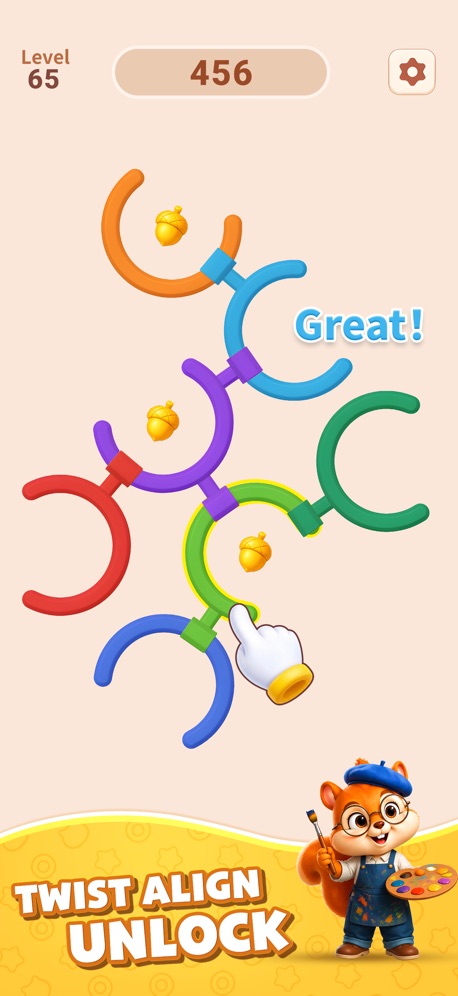
“TWIST ALIGN UNLOCK”

“Remove Arrows!”

“Designed For Seniors”


“KNOCK EM' ALL!”

“Explore millions of experiences”

“MULTIPLE WAYS TO PLAY”

“HARVEST!”

“RELAXING!”
What these screenshots say, word for word.
The words on 40 of the 405 that carry any, as each app wrote them.
“Find the Cats”
Meowdoku! · #1 · screenshot 1“CLEAR THE BOARD!”
Block Out! - Color Sort Puzzle · #2 · screenshot 1“SORT WATER!”
Magic Sort! · #3 · screenshot 1“TWIST ALIGN UNLOCK”
Rotate Rings · #4 · screenshot 1“Remove Arrows!”
CubeAway - 3DPuzzle · #5 · screenshot 1“Designed For Seniors”
Vita Mahjong · #6 · screenshot 1“KNOCK EM' ALL!”
Smash Fest! · #8 · screenshot 1“Explore millions of experiences”
Roblox · #9 · screenshot 1“MULTIPLE WAYS TO PLAY”
Play Classic 6, Full 12 or compete 1v1!All Dubs · #10 · screenshot 1“HARVEST!”
Township · #11 · screenshot 1“RELAXING!”
Block Blast! · #12 · screenshot 1“Clean the dormitory”
02:48Brain Puzzle 3: Crazy Mind · #13 · screenshot 1“BEAUTY IN ARROWS”
Amaze GO! · #14 · screenshot 1“RELIVE THE EXCITEMENT!”
Disney Solitaire · #15 · screenshot 1“Helo Them”
Gossip Harbor®: Merge & Story · #17 · screenshot 1“TRAIN YOUR BRAIN”
Bus Traffic Fever! · #18 · screenshot 1“MONOPOLY GO!”
MONOPOLY GO! · #19 · screenshot 1“Match”
Mahjong Blast · #20 · screenshot 1“Super Relaxing”
Colorever: Gem Art Puzzle · #21 · screenshot 1“AIM, FIRE DESTROY!”
Royal Smash! - Physics Puzzle · #22 · screenshot 1“BONUS WIN 16,937.21”
HIT THE JACKPOT WIN REAL CASHTang Luck: Casino Slots · #24 · screenshot 1“Explore and Collect”
Whiteout Survival · #25 · screenshot 2“DEFEAT ENEMIES”
Kingshot · #26 · screenshot 1“ENJOY THE PUZZLES”
Sand Blocks: Drop Puzzle · #28 · screenshot 1“SHARPEN YOUR MIND”
Solitaire Associations Journey · #29 · screenshot 1“DROP INTO A NEW SEASON OF BATTLE ROYALE”
Fortnite · #30 · screenshot 1“Launch”
Tasty Travels: Merge Game · #31 · screenshot 1“$15M+”
in payoutsTriumph Arcade · #32 · screenshot 1“ROLL”
Dice Dreams™ · #34 · screenshot 1“OFFICIAL LICENSED MUSIC GAME”
Magic Tiles 3™: Piano Game · #37 · screenshot 1“DESTROY ENEMY CASTLE!”
Castle Busters · #38 · screenshot 1“ENEMY SPOTTED!”
Warline: Sniper Strike · #41 · screenshot 1“Challenge Yourself”
Word Tiles - Relaxing Puzzle · #42 · screenshot 1“Hair Customization”
Glow Fashion Idol · #43 · screenshot 2“265M+ PLAYERS”
Chess.com - Play and Learn · #44 · screenshot 1“SKILL-BASED MAHJONG GAME”
Mahjong Rumble: Win Real Cash · #45 · screenshot 1“Play Now”
Candy Crush Saga · #48 · screenshot 1“100 Hidden Words to find”
Word Search Explorer® · #49 · screenshot 1“STRESS RELIEVER!”
Pixel Flow! · #50 · screenshot 1“5 000 000+ 5-Star Ratings”
Sudoku.com - Number Games · #51 · screenshot 1
Top ten Games apps that do it.
- #1Meowdoku!6 of its 6 screenshots
- #2Block Out! - Color Sort Puzzle5 of its 6 screenshots
- #3Magic Sort!6 of its 6 screenshots
- #4Rotate Rings6 of its 6 screenshots
- #5CubeAway - 3DPuzzle5 of its 5 screenshots
- #6Vita Mahjong6 of its 6 screenshots
- #7Bus Fever Party!5 of its 5 screenshots
- #8Smash Fest!5 of its 5 screenshots
- #9Roblox5 of its 6 screenshots
- #10All Dubs6 of its 6 screenshots
The same tactic in other categories.
| Category | Apps that do it | Screenshots | Top ten |
|---|---|---|---|
| Entertainment | 100% 100 of 100 | 82% 444 of 544 | 10 of 10 |
| Games | 100% 100 of 100 | 95% 536 of 567 | 10 of 10 |
| Health & Fitness | 100% 100 of 100 | 80% 460 of 574 | 10 of 10 |
| Lifestyle | 100% 100 of 100 | 77% 429 of 556 | 10 of 10 |
| Photo & Video | 100% 100 of 100 | 92% 520 of 566 | 10 of 10 |
| Productivity | 100% 99 of 99 | 76% 420 of 551 | 10 of 10 |
| Social Networking | 100% 100 of 100 | 81% 448 of 554 | 10 of 10 |
| Sports | 100% 100 of 100 | 76% 422 of 558 | 10 of 10 |
| Weather | 100% 100 of 100 | 89% 495 of 555 | 10 of 10 |
| Developer Tools | 99% 99 of 100 | 88% 444 of 507 | 10 of 10 |
| Medical | 99% 99 of 100 | 78% 426 of 548 | 10 of 10 |
| Reference | 99% 99 of 100 | 81% 458 of 566 | 10 of 10 |
| Shopping | 99% 99 of 100 | 74% 415 of 562 | 10 of 10 |
| Graphics & Design | 99% 98 of 99 | 88% 495 of 564 | 10 of 10 |
| Navigation | 99% 98 of 99 | 79% 449 of 566 | 10 of 10 |
| News | 99% 97 of 98 | 81% 419 of 517 | 10 of 10 |
| Food & Drink | 98% 98 of 100 | 66% 358 of 540 | 10 of 10 |
| Music | 98% 98 of 100 | 77% 426 of 550 | 10 of 10 |
| Utilities | 98% 98 of 100 | 78% 427 of 549 | 10 of 10 |
| Business | 97% 97 of 100 | 71% 396 of 554 | 9 of 10 |
| Education | 97% 97 of 100 | 75% 414 of 555 | 10 of 10 |
| Travel | 97% 97 of 100 | 70% 393 of 561 | 9 of 10 |
| Finance | 94% 94 of 100 | 61% 352 of 581 | 10 of 10 |
Related tactics.
Often on the same screenshot
- No phone, bare screen80% of these screenshots, against 76% of all Games screenshots
- The app itself is the background30% of these screenshots, against 29% of all Games screenshots
- No words at all24% of these screenshots, against 24% of all Games screenshots
- Tells you to do something43% of these screenshots, against 43% of all Games screenshots
- Background is the icon’s colour35% of these screenshots, against 35% of all Games screenshots
- Light32% of these screenshots, against 31% of all Games screenshots
More in layout
- Illustration or mascot100%
- No phone, bare screen90%
- Headline readable at thumbnail size70%
- A person in the picture53%
- Words at the bottom52%
- Arrows or callouts35%
- Phone drawn33%
- Words at the top33%
- A hand holds the phone31%
- Whole phone shown28%
- A photograph24%
- App icon shown20%
- No app screen at all20%
- Two or more screens18%
- Headline too small to read17%
- Words aligned left13%
- Zoomed detail of the UI13%
- Words over the screen11%
- Phone cut off at the foot6%
- Phone at an angle5%
- Continues into the next screenshot4%
- Phone cut off at the head3%
- Watch, iPad or Mac beside it3%
- Screen is small2%
Questions, answered from the chart.
How many top Games apps have App Store screenshots filled by the app’s UI?
Which Games apps have App Store screenshots filled by the app’s UI?
Should my Games app have App Store screenshots filled by the app’s UI?
See your own app against this.
Pagefully reads your screenshots the same way, and makes a custom product page for each search people type, from your real screens.
Preview your pages