Red Health & Fitness app screenshots
Red is the main colour.
From the top 100 free Health & Fitness apps on the US App Store, read on October 9, 2026. Screenshots are the developers’ own, shown from Apple’s servers with a link to each app.
The numbers
34 of the 574 Health & Fitness screenshots read (6%) do this, across 13 of the top 100 apps (13%). 1 of the top ten do it (10%), against 12 of the other 90 (13%): the top ten do it about as often as the rest. Of the 23 categories read so far, Health & Fitness is 14th for this. It is most common in Food & Drink (33% of apps) and least common in Developer Tools (3%).
12 examples from the chart.
12 of the 34 red Health & Fitness app screenshots, one from each app, the highest on the chart first.

“Apple Watch App of the Year”

“EASY NAVIGATION”

“One app for fitness, beauty and wellness”

“Fitbod learns from your previous workouts...”
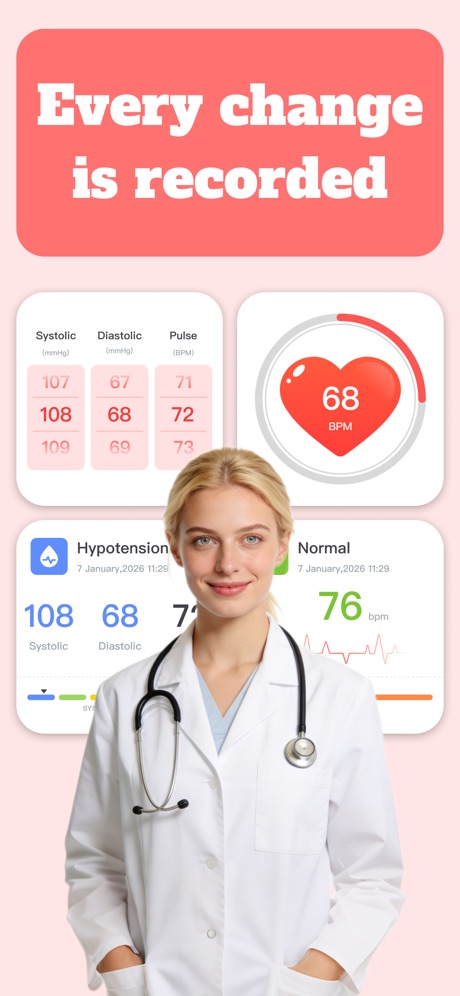
“Every change is recorded”

“Assess Segmental Differences”
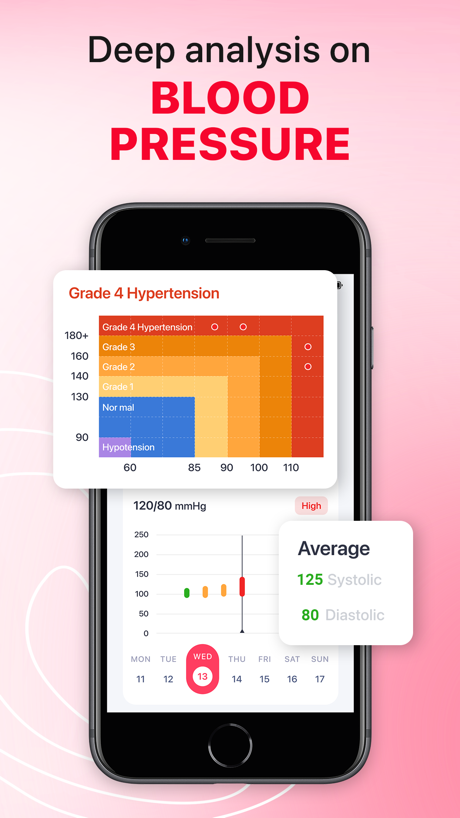
“Deep analysis on BLOOD PRESSURE”

“RUN LEAVE YOURSELF IN THE DUST”

“Know your next period”

“Checking in takes seconds”

“SMART MACRO TRACKER”

“Blood Glucose Monitoring”
What these screenshots say, word for word.
The words on all 34 that carry any, as each app wrote them.
“Apple Watch App of the Year”
WinnerStrava: Run, Bike, Walk · #1 · screenshot 1“EASY NAVIGATION”
Crunch Fitness · #18 · screenshot 1“One app for fitness, beauty and wellness”
ClassPass: Fitness, Spa, Salon · #19 · screenshot 1“Fitbod learns from your previous workouts...”
Fitbod: Gym & Fitness Planner · #33 · screenshot 3“Every change is recorded”
Quick BloodPressure · #43 · screenshot 1“Assess Segmental Differences”
Discover how Lean Body Mass and Fat Mass are distributed throughout the body.InBody · #47 · screenshot 5“Deep analysis on BLOOD PRESSURE”
iCardiac: Heart Rate & Health · #49 · screenshot 2“RUN LEAVE YOURSELF IN THE DUST”
Nike Run Club: Running Coach · #53 · screenshot 1“Know your next period”
Clue Period & Cycle Tracker · #63 · screenshot 1“Checking in takes seconds”
You can walk in and exercise right away.Wellhub (Gympass) · #69 · screenshot 4- MACROFACTOR
“SMART MACRO TRACKER”
MacroFactor - Macro Tracker · #71 · screenshot 1 “Blood Glucose Monitoring”
PulseGuard Ai · #81 · screenshot 1“Export Health Insights”
FaceVital: Health Monitor · #88 · screenshot 6“Get motivated by the community”
Strava: Run, Bike, Walk · #1 · screenshot 2“BOOK CLASSES IN ADVANCE”
Crunch Fitness · #18 · screenshot 2“Try cycling, boxing, yoga and more”
ClassPass: Fitness, Spa, Salon · #19 · screenshot 3“To pick your next best exercises, reps & weight.”
Fitbod: Gym & Fitness Planner · #33 · screenshot 4“See your blood pressure trends at a glance”
Quick BloodPressure · #43 · screenshot 2“See when you’re ovulating”
Clue Period & Cycle Tracker · #63 · screenshot 2“Track your workouts”
Strava: Run, Bike, Walk · #1 · screenshot 3“CREATE YOUR OWN WORKOUT”
Crunch Fitness · #18 · screenshot 3“Reserve your spot with a tap”
ClassPass: Fitness, Spa, Salon · #19 · screenshot 5“Focus on the right parts of your body and...”
Fitbod: Gym & Fitness Planner · #33 · screenshot 5“Keep a complete record of your blood pressure”
Quick BloodPressure · #43 · screenshot 3“Track how you feel”
Clue Period & Cycle Tracker · #63 · screenshot 3“Lift it. Log it. See your gains.”
Strava: Run, Bike, Walk · #1 · screenshot 4“VIEW ACCOUNT INFORMATION”
CHECK-INS, CLASS BOOKINGS & BILLING HISTORYCrunch Fitness · #18 · screenshot 4“Keep your workouts fresh and varied...”
Fitbod: Gym & Fitness Planner · #33 · screenshot 6“Review every measurement clearly”
Quick BloodPressure · #43 · screenshot 4“Discover your cycle insights”
Clue Period & Cycle Tracker · #63 · screenshot 4“Hit the trails with hiking tools”
Strava: Run, Bike, Walk · #1 · screenshot 5“Set custom reminders”
Clue Period & Cycle Tracker · #63 · screenshot 5“Share with friends”
Strava: Run, Bike, Walk · #1 · screenshot 6“Connect a wearable”
Clue Period & Cycle Tracker · #63 · screenshot 6
Top ten Health & Fitness apps that do it.
- #1Strava: Run, Bike, Walk6 of its 6 screenshots
The same tactic in other categories.
| Category | Apps that do it | Screenshots | Top ten |
|---|---|---|---|
| Food & Drink | 33% 33 of 100 | 20% 109 of 540 | 4 of 10 |
| Graphics & Design | 31% 31 of 99 | 9% 49 of 564 | 4 of 10 |
| Photo & Video | 29% 29 of 100 | 7% 40 of 566 | 2 of 10 |
| Entertainment | 26% 26 of 100 | 11% 62 of 544 | 3 of 10 |
| Shopping | 24% 24 of 100 | 12% 70 of 562 | 2 of 10 |
| Lifestyle | 21% 21 of 100 | 8% 44 of 556 | 2 of 10 |
| Music | 19% 19 of 100 | 7% 38 of 550 | 6 of 10 |
| Travel | 19% 19 of 100 | 7% 41 of 561 | 0 of 10 |
| Weather | 18% 18 of 100 | 6% 35 of 555 | 3 of 10 |
| Social Networking | 17% 17 of 100 | 6% 36 of 554 | 0 of 10 |
| Reference | 16% 16 of 100 | 7% 40 of 566 | 1 of 10 |
| Education | 14% 14 of 100 | 3% 17 of 555 | 2 of 10 |
| News | 13% 13 of 98 | 6% 32 of 517 | 2 of 10 |
| Games | 13% 13 of 100 | 3% 15 of 567 | 0 of 10 |
| Health & Fitness | 13% 13 of 100 | 6% 34 of 574 | 1 of 10 |
| Sports | 13% 13 of 100 | 7% 39 of 558 | 3 of 10 |
| Navigation | 11% 11 of 99 | 6% 35 of 566 | 0 of 10 |
| Medical | 11% 11 of 100 | 4% 22 of 548 | 2 of 10 |
| Business | 9% 9 of 100 | 4% 23 of 554 | 2 of 10 |
| Finance | 8% 8 of 100 | 3% 18 of 581 | 1 of 10 |
| Utilities | 8% 8 of 100 | 3% 19 of 549 | 2 of 10 |
| Productivity | 6% 6 of 99 | 3% 14 of 551 | 0 of 10 |
| Developer Tools | 3% 3 of 100 | 1% 3 of 507 | 1 of 10 |
Related tactics.
Often on the same screenshot
- Background is the icon’s colour82% of these screenshots, against 39% of all Health & Fitness screenshots
- A person in the picture50% of these screenshots, against 26% of all Health & Fitness screenshots
- Leads with a feature79% of these screenshots, against 63% of all Health & Fitness screenshots
- A photograph53% of these screenshots, against 40% of all Health & Fitness screenshots
- Words aligned left24% of these screenshots, against 11% of all Health & Fitness screenshots
- Condensed or display type12% of these screenshots, against 2% of all Health & Fitness screenshots
More in look
- Light78%
- Gradient background73%
- Background is the icon’s colour56%
- Black, white or grey53%
- Low contrast words44%
- High contrast words42%
- A word in a different colour39%
- Solid background38%
- Dark36%
- Blue35%
- Orange28%
- Teal20%
- Photo background18%
- Rounded headline type18%
- Green17%
- Pattern or texture14%
- Serif headline11%
- Condensed or display type8%
- Purple8%
- Pink6%
- Yellow6%
- The app itself is the background2%
Questions, answered from the chart.
How many top Health & Fitness apps have red App Store screenshots?
Which Health & Fitness apps have red App Store screenshots?
Should my Health & Fitness app have red App Store screenshots?
See your own app against this.
Pagefully reads your screenshots the same way, and makes a custom product page for each search people type, from your real screens.
Preview your pages