Health & Fitness app screenshots in the app icon’s colour
The picture’s main colour is the app icon’s. In a search result the icon and the screenshots sit side by side, and a shared colour makes them read as one brand.
From the top 100 free Health & Fitness apps on the US App Store, read on October 9, 2026. Screenshots are the developers’ own, shown from Apple’s servers with a link to each app.
The numbers
225 of the 574 Health & Fitness screenshots read (39%) do this, across 56 of the top 100 apps (56%). 3 of the top ten do it (30%), against 53 of the other 90 (59%): the top ten do it less than the rest. Of the 23 categories read so far, Health & Fitness is 16th for this. It is most common in Education (79% of apps) and least common in Developer Tools (31%).
12 examples from the chart.
12 of the 225 Health & Fitness app screenshots in the app icon’s colour, one from each app, the highest on the chart first.

“Apple Watch App of the Year”

“PROGRESS STARTS HERE”

“Discover 500,000+ trails”

“GET STRONGER, WITH A PLAN.”

“Everything you need to crush it.”

“The app that converts your steps into rewards”
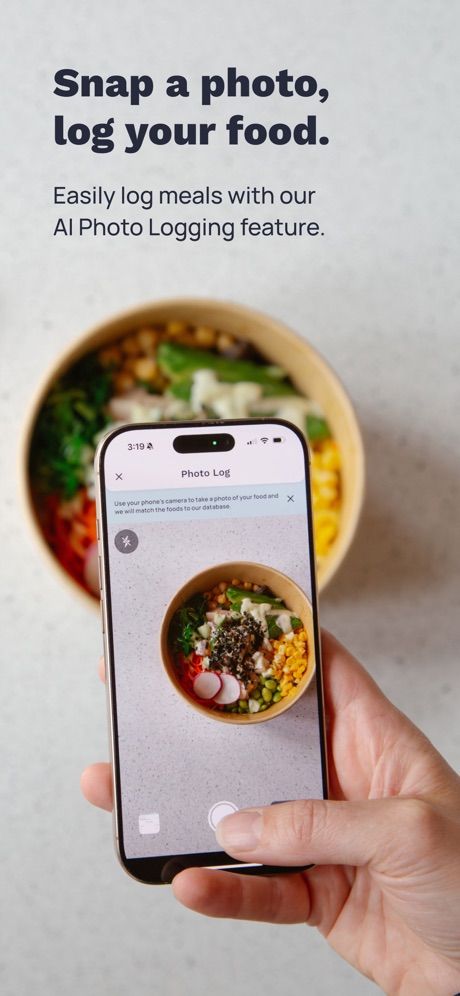
“Snap a photo, log your food.”

“Build healthy habits,”

“EASY NAVIGATION”
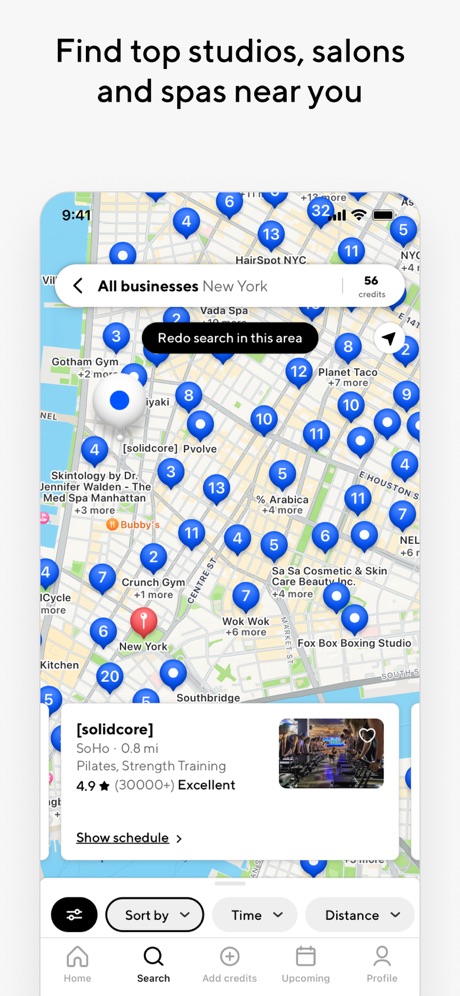
“Find top studios, salons and spas near you”
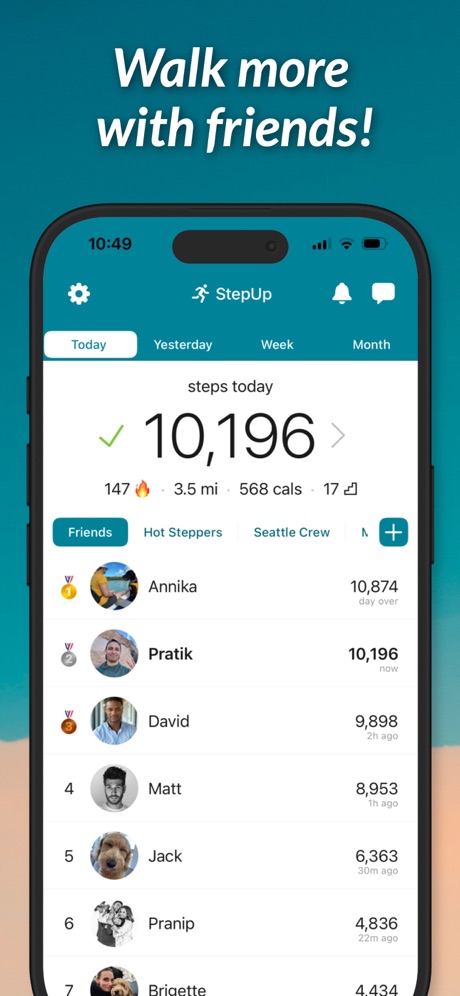
“Walk more with friends!”

“Wayk”
What these screenshots say, word for word.
The words on 40 of the 220 that carry any, as each app wrote them.
“Apple Watch App of the Year”
WinnerStrava: Run, Bike, Walk · #1 · screenshot 1“PROGRESS STARTS HERE”
Planet Fitness · #2 · screenshot 1“Discover 500,000+ trails”
AllTrails: Hike, Bike & Run · #10 · screenshot 1“GET STRONGER, WITH A PLAN.”
LADDER Strength Training Plans · #11 · screenshot 1“Everything you need to crush it.”
New EōS Fitness · #12 · screenshot 1“The app that converts your steps into rewards”
WeWard - Walking Rewards App · #13 · screenshot 1“Snap a photo, log your food.”
Easily log meals with our AI Photo Logging feature.Cronometer: Calorie Counter · #15 · screenshot 5“Build healthy habits,”
get younger, earn pointsAHEALTH: Get Healthy Get Paid · #16 · screenshot 1“EASY NAVIGATION”
Crunch Fitness · #18 · screenshot 1“Find top studios, salons and spas near you”
ClassPass: Fitness, Spa, Salon · #19 · screenshot 2“Walk more with friends!”
StepUp Pedometer Step Counter · #20 · screenshot 1“Wayk”
#1 Alarm AppWayk: Alarm Clock to Wake Up · #21 · screenshot 1“Everything you need to beat yesterday”
Garmin Connect™ · #22 · screenshot 1- BETTER SLEEP, BETTER LIFE
“Become a morning person”
TRUSTED BYRISE: Sleep Tracker · #24 · screenshot 1 “Start building healthy sleep habits”
Hatch Sleep · #26 · screenshot 1“Automatic Step Counter”
Now with WorkoutsStepsApp Pedometer · #28 · screenshot 1“Schedule appointments. Stay on the move.”
Kaiser Permanente · #29 · screenshot 2“Fitbod learns from your previous workouts...”
Fitbod: Gym & Fitness Planner · #33 · screenshot 3“Tap “GO” to start the home program your provider created for you.”
Medbridge GO for Patients · #34 · screenshot 1“Track BLOOD PRESSURE”
Blood Pressure App-BP Tracker · #36 · screenshot 1“Your go-to app for all things fitness & wellness”
Mindbody: Fitness & Wellness · #38 · screenshot 1“Your Hormonal Health Universe Awaits”
Stardust Period Tracker · #39 · screenshot 1“Dietitians, covered by insurance”
Nourish: Eating Well Made Easy · #40 · screenshot 1“The Complete Weight Loss Solution”
Loved by 32M+ peopleCalorie Counter - MyNetDiary · #41 · screenshot 1- Trusted by
“300M”
womenPeriod Tracker Period Calendar · #42 · screenshot 1 “Every change is recorded”
Quick BloodPressure · #43 · screenshot 1“The #1 App for Sleep & Meditation”
Sleep more. Stress less. Live better.Calm · #45 · screenshot 1“Track team progress on the go”
Walktober · #46 · screenshot 2“Assess Segmental Differences”
Discover how Lean Body Mass and Fat Mass are distributed throughout the body.InBody · #47 · screenshot 5“Measure your HEART RATE with cardiogram”
iCardiac: Heart Rate & Health · #49 · screenshot 1“Daily reminders to stay positive”
I am - Daily Affirmations · #52 · screenshot 1“Improve with personalized data”
Lyfta: Gym Workout Tracker Log · #54 · screenshot 3“A Better Way to Support Your Home Exercise Program”
Limber Health Home Exercise · #57 · screenshot 1“Understand Your Sleep Better”
SleepSense: Sleep Tracker · #58 · screenshot 1“Measure Your Heart Rate”
HealthPro: Blood Sugar · #62 · screenshot 1“Know your next period”
Clue Period & Cycle Tracker · #63 · screenshot 1“Training Plans”
Get your personalized training plan with a variety of exciting workoutsRunna: Running Plans & Coach · #64 · screenshot 1“Heart Rate Monitor”
Cardiora: Blood Pressure · #66 · screenshot 1“Align with Your Cycle”
Lively - Period Tracker, Cycle · #68 · screenshot 1“Checking in takes seconds”
You can walk in and exercise right away.Wellhub (Gympass) · #69 · screenshot 4
Top ten Health & Fitness apps that do it.
- #1Strava: Run, Bike, Walk6 of its 6 screenshots
- #2Planet Fitness5 of its 6 screenshots
- #10AllTrails: Hike, Bike & Run3 of its 6 screenshots
The same tactic in other categories.
| Category | Apps that do it | Screenshots | Top ten |
|---|---|---|---|
| Education | 79% 79 of 100 | 51% 281 of 555 | 6 of 10 |
| Food & Drink | 71% 71 of 100 | 51% 278 of 540 | 6 of 10 |
| Medical | 68% 68 of 100 | 46% 251 of 548 | 7 of 10 |
| Finance | 67% 67 of 100 | 50% 288 of 581 | 8 of 10 |
| Business | 64% 64 of 100 | 47% 258 of 554 | 9 of 10 |
| Reference | 64% 64 of 100 | 49% 275 of 566 | 7 of 10 |
| Travel | 64% 64 of 100 | 44% 245 of 561 | 5 of 10 |
| Music | 62% 62 of 100 | 41% 225 of 550 | 5 of 10 |
| Entertainment | 61% 61 of 100 | 45% 243 of 544 | 4 of 10 |
| Social Networking | 61% 61 of 100 | 43% 237 of 554 | 9 of 10 |
| Productivity | 60% 59 of 99 | 45% 249 of 551 | 3 of 10 |
| Shopping | 59% 59 of 100 | 43% 241 of 562 | 7 of 10 |
| Lifestyle | 58% 58 of 100 | 41% 230 of 556 | 8 of 10 |
| Weather | 57% 57 of 100 | 38% 212 of 555 | 6 of 10 |
| News | 56% 55 of 98 | 39% 204 of 517 | 4 of 10 |
| Health & Fitness | 56% 56 of 100 | 39% 225 of 574 | 3 of 10 |
| Sports | 56% 56 of 100 | 44% 245 of 558 | 5 of 10 |
| Games | 55% 55 of 100 | 35% 198 of 567 | 6 of 10 |
| Utilities | 55% 55 of 100 | 43% 238 of 549 | 4 of 10 |
| Graphics & Design | 54% 53 of 99 | 26% 148 of 564 | 6 of 10 |
| Navigation | 53% 52 of 99 | 40% 225 of 566 | 7 of 10 |
| Photo & Video | 45% 45 of 100 | 22% 123 of 566 | 2 of 10 |
| Developer Tools | 31% 31 of 100 | 23% 119 of 507 | 2 of 10 |
Related tactics.
Often on the same screenshot
- Gradient background72% of these screenshots, against 57% of all Health & Fitness screenshots
- Illustration or mascot49% of these screenshots, against 39% of all Health & Fitness screenshots
- Blue29% of these screenshots, against 21% of all Health & Fitness screenshots
- Orange18% of these screenshots, against 11% of all Health & Fitness screenshots
- Headline readable at thumbnail size34% of these screenshots, against 27% of all Health & Fitness screenshots
- Red12% of these screenshots, against 6% of all Health & Fitness screenshots
More in look
- Light78%
- Gradient background73%
- Black, white or grey53%
- Low contrast words44%
- High contrast words42%
- A word in a different colour39%
- Solid background38%
- Dark36%
- Blue35%
- Orange28%
- Teal20%
- Photo background18%
- Rounded headline type18%
- Green17%
- Pattern or texture14%
- Red13%
- Serif headline11%
- Condensed or display type8%
- Purple8%
- Pink6%
- Yellow6%
- The app itself is the background2%
Questions, answered from the chart.
How many top Health & Fitness apps have App Store screenshots in the app icon’s colour?
Which Health & Fitness apps have App Store screenshots in the app icon’s colour?
Should my Health & Fitness app have App Store screenshots in the app icon’s colour?
See your own app against this.
Pagefully reads your screenshots the same way, and makes a custom product page for each search people type, from your real screens.
Preview your pages