Health & Fitness app screenshots with high-contrast text
The headline stands far from its background in brightness. The further the words stand from the background in brightness, the easier they are to read at small sizes.
From the top 100 free Health & Fitness apps on the US App Store, read on October 9, 2026. Screenshots are the developers’ own, shown from Apple’s servers with a link to each app.
The numbers
111 of the 574 Health & Fitness screenshots read (19%) do this, across 42 of the top 100 apps (42%). 4 of the top ten do it (40%), against 38 of the other 90 (42%): the top ten do it about as often as the rest. Of the 23 categories read so far, Health & Fitness is 12th for this. It is most common in Graphics & Design (65% of apps) and least common in Medical (20%).
12 examples from the chart.
12 of the 111 Health & Fitness app screenshots with high-contrast text, one from each app, the highest on the chart first.
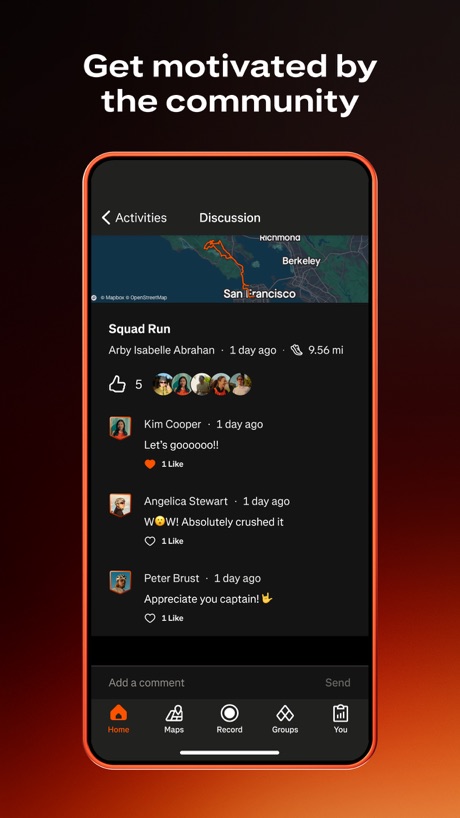
“Get motivated by the community”

“Log your activities . . .”

“Walk against your friends”

“Discover 500,000+ trails”

“GET STRONGER, WITH A PLAN.”
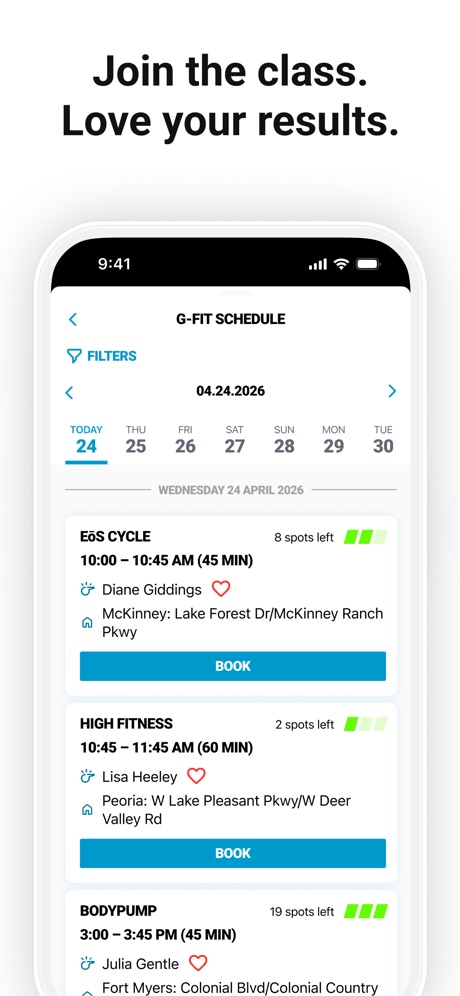
“Join the class. Love your results.”
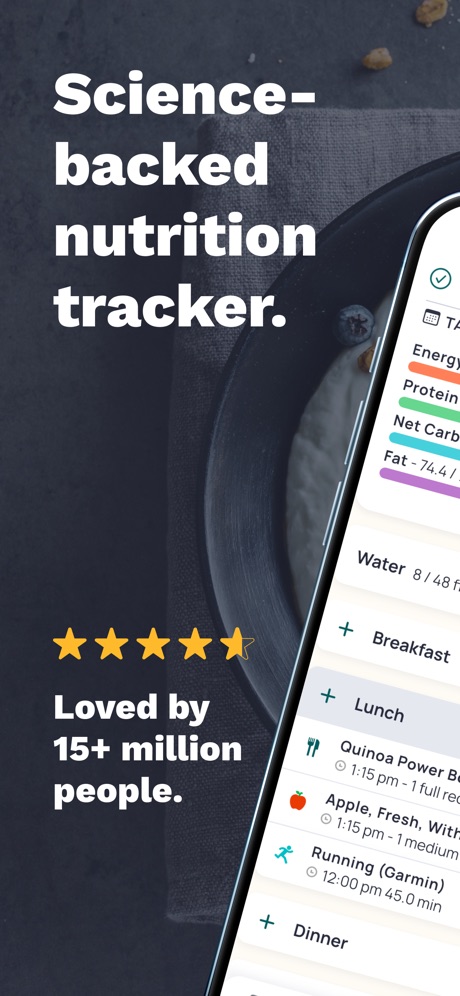
“Science- backed nutrition tracker.”

“One app for fitness, beauty and wellness”

“Solve tasks to stop your alarm”

“Automatic Step Counter”

“The #1 App For Eating Out Healthy”

“ANALYZE YOUR WORKOUTS”
What these screenshots say, word for word.
The words on 40 of the 111 that carry any, as each app wrote them.
“Get motivated by the community”
Strava: Run, Bike, Walk · #1 · screenshot 2“Log your activities . . .”
Planet Fitness · #2 · screenshot 2“Walk against your friends”
Stompers: Walking Step Counter · #6 · screenshot 1“Discover 500,000+ trails”
AllTrails: Hike, Bike & Run · #10 · screenshot 1“GET STRONGER, WITH A PLAN.”
LADDER Strength Training Plans · #11 · screenshot 1“Join the class. Love your results.”
New EōS Fitness · #12 · screenshot 3“Science- backed nutrition tracker.”
Loved by 15+ million people.Cronometer: Calorie Counter · #15 · screenshot 1“One app for fitness, beauty and wellness”
ClassPass: Fitness, Spa, Salon · #19 · screenshot 1“Solve tasks to stop your alarm”
Wayk: Alarm Clock to Wake Up · #21 · screenshot 2“Automatic Step Counter”
Now with WorkoutsStepsApp Pedometer · #28 · screenshot 1“The #1 App For Eating Out Healthy”
MenuFit - Healthy Eating Out · #30 · screenshot 1“ANALYZE YOUR WORKOUTS”
Hevy - Workout Tracker Gym Log · #31 · screenshot 3“Smart workouts built just for you”
Fitbod: Gym & Fitness Planner · #33 · screenshot 1“See your top stats, at a glance”
Google Health (Fitbit) · #35 · screenshot 1“Get motivation throughout the day”
“Good things are coming.”Motivation - Daily quotes · #37 · screenshot 1“Your Hormonal Health Universe Awaits”
Stardust Period Tracker · #39 · screenshot 1- Trusted by
“300M”
womenPeriod Tracker Period Calendar · #42 · screenshot 1 “Monitor Your Heart Rate”
Powered by PPG TechnologyHeartica: Heart Rate Monitor · #48 · screenshot 1“Scan any food instantly”
Exposr - Food Product Scanner · #51 · screenshot 1“RUN LEAVE YOURSELF IN THE DUST”
Nike Run Club: Running Coach · #53 · screenshot 1“Get stronger and follow proven programs”
Lyfta: Gym Workout Tracker Log · #54 · screenshot 4“Voice Logging”
“I had one apple with two tablespoons of peanut butter”Lose It! – Calorie Counter · #55 · screenshot 5“Understand Your Sleep Better”
SleepSense: Sleep Tracker · #58 · screenshot 1“Better health starts with WHOOP”
WHOOP · #60 · screenshot 1“Monitor Your Heart Health”
Heart Beat: Heart Rate Monitor · #67 · screenshot 1“Enjoy daily wellbeing your way”
Wellhub (Gympass) · #69 · screenshot 1“LOG FOODS FASTER”
MacroFactor - Macro Tracker · #71 · screenshot 2“CLAIM YOUR TERRITORY”
INTVL · #73 · screenshot 2“The all-in-one supplement companion app”
SuppCo: Supplement Scanner · #74 · screenshot 1“Easily access your settings from your mobile device”
BetterHelp - Therapy · #75 · screenshot 5“Wellness”
VeryFit · #78 · screenshot 5- LIFTOFF
“TURN YOUR WORKOUTS INTO A GAME”
Liftoff - Ranked Gym Workouts · #79 · screenshot 1 “Therapy, covered by insurance”
Grow Therapy · #80 · screenshot 1- MeAgain
“GLP-1 Tracker”
MeAgain: GLP-1 Tracker App · #82 · screenshot 1 “Explore nearby locations and get directions.”
VSP Vision Care · #87 · screenshot 5“Instant Health Monitor”
FaceVital: Health Monitor · #88 · screenshot 1“Real Money on Your Goal”
So you actually hit itSteppa - Step Challenges · #90 · screenshot 2“Sleep better Increase focus Reduce stress”
Insight Timer: Meditate, Sleep · #93 · screenshot 2“Workout”
Show Your RouteDa Fit · #94 · screenshot 4- Set The Standard
“STOP GUESSING YOUR NEXT WORKOUT”
Programs built by the 6x Mr. Olympia Chris BumsteadSTNDRD Workout & Fitness Plans · #96 · screenshot 1
Top ten Health & Fitness apps that do it.
- #1Strava: Run, Bike, Walk2 of its 6 screenshots
- #2Planet Fitness2 of its 6 screenshots
- #6Stompers: Walking Step Counter6 of its 6 screenshots
- #10AllTrails: Hike, Bike & Run1 of its 6 screenshots
The same tactic in other categories.
| Category | Apps that do it | Screenshots | Top ten |
|---|---|---|---|
| Graphics & Design | 65% 64 of 99 | 43% 241 of 564 | 8 of 10 |
| Food & Drink | 64% 64 of 100 | 30% 164 of 540 | 8 of 10 |
| Sports | 64% 64 of 100 | 41% 230 of 558 | 7 of 10 |
| Music | 57% 57 of 100 | 28% 152 of 550 | 3 of 10 |
| Photo & Video | 56% 56 of 100 | 30% 170 of 566 | 6 of 10 |
| Navigation | 51% 50 of 99 | 21% 119 of 566 | 4 of 10 |
| Entertainment | 50% 50 of 100 | 29% 159 of 544 | 8 of 10 |
| Shopping | 48% 48 of 100 | 20% 112 of 562 | 5 of 10 |
| Utilities | 47% 47 of 100 | 26% 142 of 549 | 4 of 10 |
| Finance | 45% 45 of 100 | 21% 122 of 581 | 4 of 10 |
| Reference | 45% 45 of 100 | 25% 141 of 566 | 2 of 10 |
| Games | 42% 42 of 100 | 22% 127 of 567 | 5 of 10 |
| Health & Fitness | 42% 42 of 100 | 19% 111 of 574 | 4 of 10 |
| Social Networking | 41% 41 of 100 | 22% 121 of 554 | 1 of 10 |
| Weather | 40% 40 of 100 | 20% 111 of 555 | 3 of 10 |
| Education | 39% 39 of 100 | 13% 74 of 555 | 4 of 10 |
| Lifestyle | 38% 38 of 100 | 18% 100 of 556 | 3 of 10 |
| Developer Tools | 37% 37 of 100 | 22% 111 of 507 | 1 of 10 |
| Travel | 37% 37 of 100 | 17% 95 of 561 | 5 of 10 |
| Productivity | 36% 36 of 99 | 20% 108 of 551 | 2 of 10 |
| News | 34% 33 of 98 | 20% 102 of 517 | 5 of 10 |
| Business | 28% 28 of 100 | 15% 83 of 554 | 1 of 10 |
| Medical | 20% 20 of 100 | 7% 38 of 548 | 4 of 10 |
Related tactics.
Often on the same screenshot
- Black, white or grey55% of these screenshots, against 31% of all Health & Fitness screenshots
- Headline in capitals29% of these screenshots, against 10% of all Health & Fitness screenshots
- Rounded headline type16% of these screenshots, against 7% of all Health & Fitness screenshots
- Dark31% of these screenshots, against 23% of all Health & Fitness screenshots
- Uses a number13% of these screenshots, against 6% of all Health & Fitness screenshots
- Condensed or display type8% of these screenshots, against 2% of all Health & Fitness screenshots
More in look
- Light78%
- Gradient background73%
- Background is the icon’s colour56%
- Black, white or grey53%
- Low contrast words44%
- A word in a different colour39%
- Solid background38%
- Dark36%
- Blue35%
- Orange28%
- Teal20%
- Photo background18%
- Rounded headline type18%
- Green17%
- Pattern or texture14%
- Red13%
- Serif headline11%
- Condensed or display type8%
- Purple8%
- Pink6%
- Yellow6%
- The app itself is the background2%
Questions, answered from the chart.
How many top Health & Fitness apps have App Store screenshots with high-contrast text?
Which Health & Fitness apps have App Store screenshots with high-contrast text?
Should my Health & Fitness app have App Store screenshots with high-contrast text?
See your own app against this.
Pagefully reads your screenshots the same way, and makes a custom product page for each search people type, from your real screens.
Preview your pages