Custom product pages for Meta and TikTok ads
Make one custom product page for each ad angle or audience, and use that page’s URL as the ad’s App Store destination, so the first screenshot people see after the tap continues the ad’s first frame. Name each page after the platform and the angle, because that name is how App Analytics labels it. Then compare pages in App Analytics and compare ads and spend in the ad platform: they answer different questions.
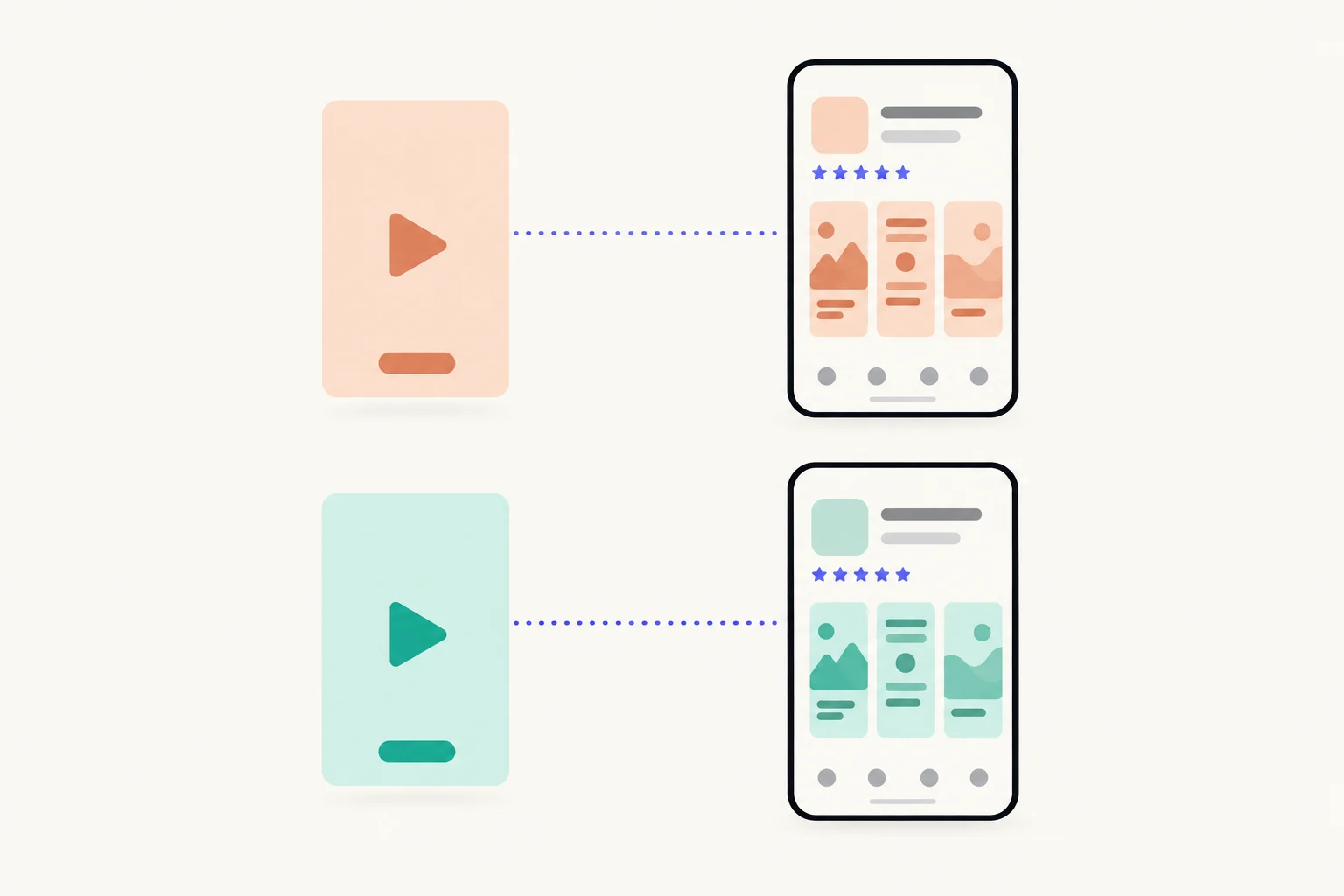
Why send a social ad to a custom product page?
Because the tap is the moment the promise either holds or breaks. A video ad sells one thing in a few seconds. If the tap opens your default page, the person sees your general screenshots and has to work out where the thing they just watched went. A custom product page shows them that thing first.
Apple built the feature for this. A custom product page can have its own screenshots, app previews and promotional text, gets its own URL, and Apple names social media ads among the places to use that URL.1 Only people who follow the link, or search a keyword you assign to the page, ever see it.2 So an ad page can be as narrow as the ad. How pages work everywhere else is in the complete guide; the page’s link and how to count it by channel are in how to track app installs by channel.
How many pages do your ads need?
One per angle or audience, not one per creative. A social account usually runs many videos at once, and most of them sell the same few promises in different ways. The page belongs to the promise. Every video that makes that promise can point at the same page.
Here is how that looks for Lull, a made-up sleep sounds app running three angles on two platforms:
| Ad angle | Who it is for | Page’s first screenshot | Page reference name |
|---|---|---|---|
| Falling asleep faster | Adults who lie awake | The player with “Fall asleep faster” | TikTok · Sleep faster |
| Baby white noise | New parents | The baby sounds list with “Sounds your baby knows” | Meta · Baby sounds |
| Focus at work | People who work with headphones on | Brown noise and café sounds with “Sound to focus by” | Meta · Focus |
| The same baby angle on TikTok | New parents | The same screenshots as Meta · Baby sounds | TikTok · Baby sounds |
The last row is a second page with the same screenshots. It costs one more of your 70 pages and nothing else, and it keeps each platform’s downloads apart.1 If you do not need them apart, one page per angle is enough. Deciding how many pages to make overall is in how many custom product pages your app needs.
How does the ad take the page?
Through the page’s URL. Apple generates it when you create the page: your App Store URL with a product page ID added.12 TikTok calls that ID the PPID and describes it as the part of the URL used to reach the page.4 People can open the URL once App Review approves the page.5
On TikTok, custom product pages work with the App promotion objective, in App install, App registration and App retargeting campaigns.4 Meta also runs app ads for iOS; set the page’s URL as the ad’s App Store destination following Meta’s Business Help Center for your Ads Manager setup, since the steps there are Meta’s to describe.
- Create the page in App Store Connect and give it a reference name.Name it after the platform and the angle, as in the table above. Apple says the reference name is how you identify the page in App Analytics.
- Add the screenshots, previews and promotional text for the angle.The first screenshot carries the ad’s first frame. More on that below.
- Submit the page to App Review.Once your app is approved, a page can go with or without a new app version.
- Copy the page’s URL from App Store Connect once it is approved.It is shown on the page itself in App Store Connect.
- Use that URL as the destination for every ad in the angle.On TikTok, in an App promotion campaign. On Meta, where its help says an app ad’s store destination goes.
- Add a deep link if the angle has a screen of its own.On iOS 18 or later, someone who taps Open on the page lands on that screen. See deep links on custom product pages.
Steps 1 to 4 are Apple’s.25 Apple Ads works differently, because the ad is built from the page itself; that is covered in custom product pages for Apple Ads.
How do you match the ad’s first frame to the page?
Put the ad’s opening claim, and the screen it shows, into the page’s first screenshot. The first frame stopped the scroll; the first screenshot is what the person checks it against. If the video opens on a sleeping baby and the words “She was asleep in four minutes”, the first screenshot is the baby sounds screen with a headline about babies, not the app’s home screen with “Relaxing sounds”.
- Same words, or close. If the ad says “fall asleep faster”, so does the headline.
- Same screen. If the video shows the timer, the first screenshot shows the timer.
- One promise per page. A page that matches three ads matches none of them well.
Writing that first headline is in custom product page screenshot headlines. Everything you change still goes through review; what a page must follow is in custom product page requirements.
How should you name the pages?
Platform first, then the angle, in words you will understand in six months. App Analytics lists pages by reference name.2 With ten pages live, “CPP 4” tells you nothing.
Use the pattern in the table above, “TikTok · Sleep faster”, and leave dates out unless the page is for a season, because a page outlives its first campaign. And keep one meaning per page: if it is also used for something else, its numbers mix and the name stops being true.
What can App Analytics tell you that the ad platform cannot?
App Analytics tells you what happened on the page; the ad platform tells you what happened to the ad. Read both, for different decisions.
| App Analytics, per custom product page | The ad platform’s reporting | |
|---|---|---|
| What it counts | Product page views, downloads, conversion rate, proceeds and more for the page | What the platform reports for the ad: delivery, taps, spend and the installs it attributes |
| Who it counts | Everyone who reached the page, from any ad or link that uses its URL | People the platform attributes to the ad |
| Best for | Comparing pages with each other and with your default page | Comparing creatives, audiences and cost |
| When figures appear | After the page has at least five first-time downloads | As the platform reports them |
| What it cannot do | Tell two ads apart if they share a page | Show what the App Store page did on its own |
On Apple’s side, each page’s row under Acquisition shows product page views, total downloads, conversion rate and proceeds, filterable by territory, source type and device, once it has five first-time downloads.3 Apple defines conversion rate as total downloads and pre-orders divided by unique device impressions.6 Apple also reports retention and average proceeds per paying user for a page, which is how you see whether an angle brings people who stay.1
Expect the two install counts to differ, and do not try to reconcile them line by line. Use the ad platform to decide which video gets the budget, and App Analytics to decide whether a page earns its place. Reading a page fairly is in how to measure a custom product page.
Sources
- 1Apple, Custom product pages
- 2Apple, Configure multiple product page versions (App Store Connect Help)
- 3Apple, Custom product page analytics (App Store Connect Help)
- 4TikTok Ads Help, About iOS custom product pages
- 5Apple, Submit a custom product page (App Store Connect Help)
- 6Apple, Metric definitions (App Store Connect Analytics Help)
Questions people ask
Can a TikTok app install ad send people to a custom product page?
Can a Meta app ad send people to a custom product page?
Should every ad get its own page?
Why do the install numbers in App Analytics and in the ad platform not match?
Can I use the same page in Apple Ads too?
See your first page.
Look up your app. In about a minute you see three pages planned for it and one designed on your own screenshots, before you sign up.