Yellow Developer Tools app screenshots
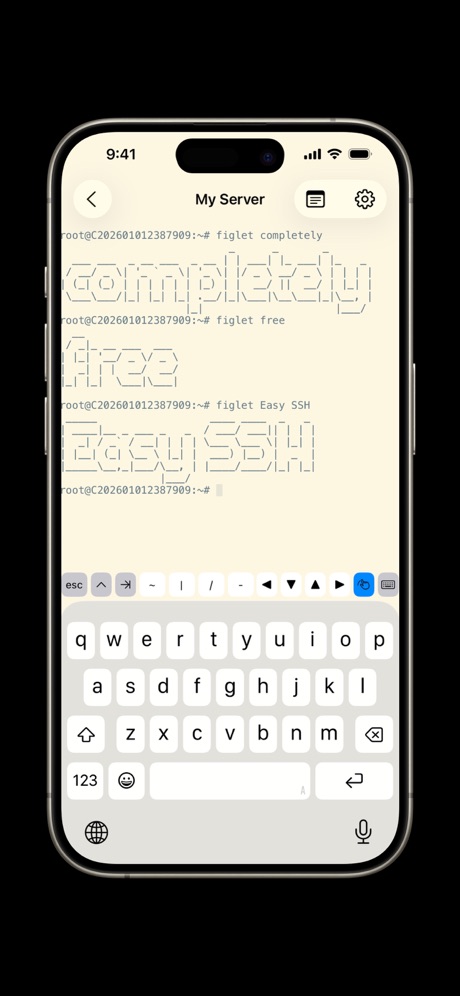
Yellow is the main colour.
From the top 100 free Developer Tools apps on the US App Store, read on October 9, 2026. Screenshots are the developers’ own, shown from Apple’s servers with a link to each app.
The numbers
9 of the 507 Developer Tools screenshots read (2%) do this, across 5 of the top 100 apps (5%). 0 of the top ten do it (0%), against 5 of the other 90 (6%): the top ten do it about as often as the rest. Of the 23 categories read so far, Developer Tools is 16th for this. It is most common in Reference (11% of apps) and least common in Food & Drink (2%).
All 9 examples from the chart.
Every one of the yellow Developer Tools app screenshots on the chart, the highest app first.


“Install packages with PyPI”

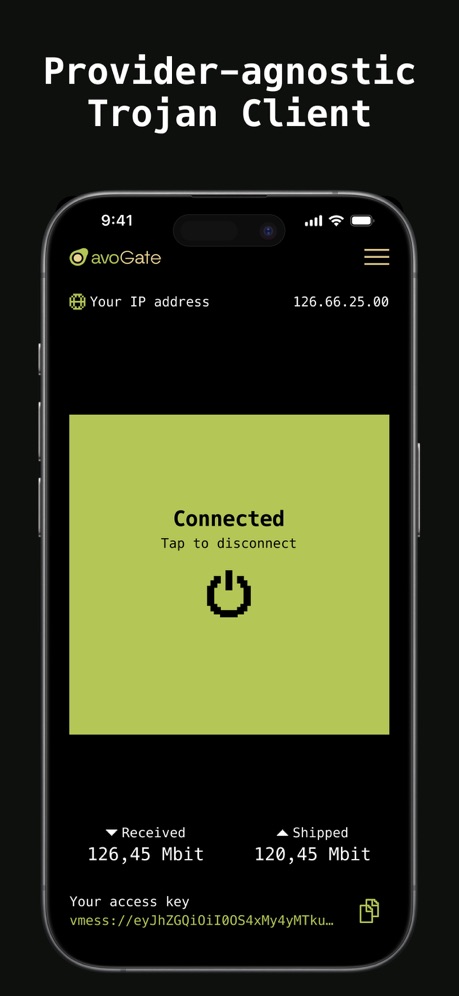
“Provider-agnostic Trojan Client”


“And Editing the HTML”

“And Editing the HTML”

What these screenshots say, word for word.
The words on 3 of the 4 that carry any, as each app wrote them.
“Install packages with PyPI”
Comes with pip and a graphical PyPI browser, as well as setuptools for local project managments. pip will try to compile packages C extensions but that can fail due to toPyto IDE · #49 · screenshot 6- Zhenyi Tan
“And Editing the HTML”
Web Inspector · #52 · screenshot 4 “Provider-agnostic Trojan Client”
avoGate · #93 · screenshot 1
Top ten Developer Tools apps that do it.
None of the top ten do. The highest app on the chart that does is Runestone Text Editor, at #35.
The same tactic in other categories.
| Category | Apps that do it | Screenshots | Top ten |
|---|---|---|---|
| Reference | 11% 11 of 100 | 3% 18 of 566 | 0 of 10 |
| Graphics & Design | 10% 10 of 99 | 2% 11 of 564 | 1 of 10 |
| Finance | 8% 8 of 100 | 5% 27 of 581 | 0 of 10 |
| Business | 7% 7 of 100 | 2% 13 of 554 | 1 of 10 |
| Entertainment | 7% 7 of 100 | 3% 14 of 544 | 1 of 10 |
| Music | 7% 7 of 100 | 3% 17 of 550 | 0 of 10 |
| Shopping | 7% 7 of 100 | 4% 21 of 562 | 0 of 10 |
| Navigation | 6% 6 of 99 | 2% 13 of 566 | 1 of 10 |
| Games | 6% 6 of 100 | 2% 11 of 567 | 0 of 10 |
| Health & Fitness | 6% 6 of 100 | 2% 11 of 574 | 0 of 10 |
| Lifestyle | 6% 6 of 100 | 3% 14 of 556 | 0 of 10 |
| Medical | 6% 6 of 100 | 4% 24 of 548 | 1 of 10 |
| Photo & Video | 6% 6 of 100 | 2% 11 of 566 | 1 of 10 |
| Social Networking | 6% 6 of 100 | 3% 17 of 554 | 0 of 10 |
| News | 5% 5 of 98 | 3% 18 of 517 | 1 of 10 |
| Developer Tools | 5% 5 of 100 | 2% 9 of 507 | 0 of 10 |
| Sports | 5% 5 of 100 | 2% 9 of 558 | 1 of 10 |
| Utilities | 5% 5 of 100 | 1% 6 of 549 | 1 of 10 |
| Productivity | 4% 4 of 99 | 1% 7 of 551 | 0 of 10 |
| Travel | 4% 4 of 100 | 1% 5 of 561 | 0 of 10 |
| Education | 3% 3 of 100 | 1% 4 of 555 | 0 of 10 |
| Weather | 3% 3 of 100 | 1% 4 of 555 | 0 of 10 |
| Food & Drink | 2% 2 of 100 | 1% 3 of 540 | 0 of 10 |
Related tactics.
Often on the same screenshot
- Illustration or mascot56% of these screenshots, against 22% of all Developer Tools screenshots
- Solid background67% of these screenshots, against 36% of all Developer Tools screenshots
- No words at all56% of these screenshots, against 26% of all Developer Tools screenshots
- Dark67% of these screenshots, against 41% of all Developer Tools screenshots
- No phone, bare screen33% of these screenshots, against 14% of all Developer Tools screenshots
- Words aligned left33% of these screenshots, against 14% of all Developer Tools screenshots
More in look
- Black, white or grey68%
- Light60%
- Solid background58%
- Dark55%
- Gradient background55%
- Blue42%
- A word in a different colour38%
- High contrast words37%
- Background is the icon’s colour31%
- Low contrast words29%
- The app itself is the background23%
- Rounded headline type15%
- Teal13%
- Orange12%
- Pattern or texture10%
- Green9%
- Photo background6%
- Condensed or display type4%
- Red3%
- Pink2%
- Purple2%
- Serif headline2%
Questions, answered from the chart.
How many top Developer Tools apps have yellow App Store screenshots?
Which Developer Tools apps have yellow App Store screenshots?
Should my Developer Tools app have yellow App Store screenshots?
See your own app against this.
Pagefully reads your screenshots the same way, and makes a custom product page for each search people type, from your real screens.
Preview your pages