Utilities app screenshots that lead with trust
Privacy, security, offline, no ads, no account. These lines answer a worry and not a wish: who sees my data, whether there are ads, whether it works without a connection.
From the top 100 free Utilities apps on the US App Store, read on October 9, 2026. Screenshots are the developers’ own, shown from Apple’s servers with a link to each app.
The numbers
55 of the 549 Utilities screenshots read (10%) do this, across 34 of the top 100 apps (34%). 1 of the top ten do it (10%), against 33 of the other 90 (37%): the top ten do it less than the rest. Of the 23 categories read so far, Utilities is 1st for this. It is most common in Utilities (34% of apps) and least common in Graphics & Design (0%).
12 examples from the chart.
12 of the 55 Utilities app screenshots that lead with trust, one from each app, the highest on the chart first.
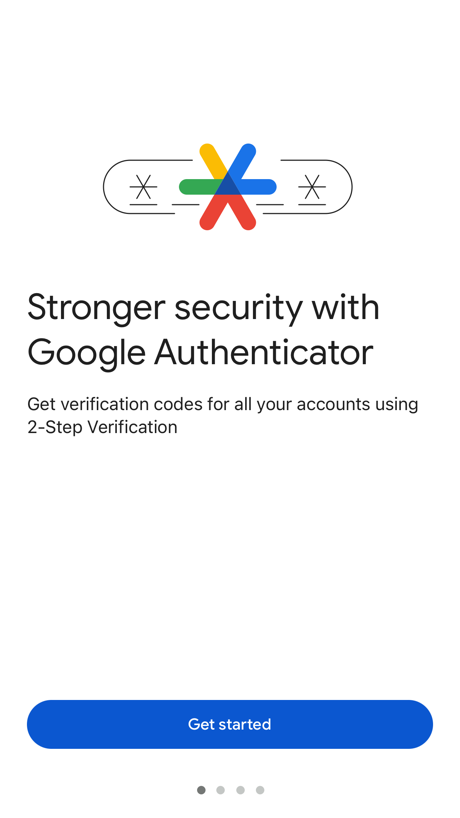
“Stronger security with Google Authenticator”

“Help keep loved ones safe”

“Unlimited Online Protection”

“Secure Your Account With 2FA”

“FAST SECURE PRIVATE”

“Protection Peace of”

“The Privacy Browser”

“Go big on your online protection”

“Complete anonymity and no data collection”

“Your privacy is a beautiful thing.”

“Browse privately”

“Protect your family from scams”
Real headline examples, word for word.
The words on 40 of the 55 that carry any, as each app wrote them.
“Stronger security with Google Authenticator”
Get verification codes for all your accounts using 2-Step VerificationGoogle Authenticator · #4 · screenshot 1“Help keep loved ones safe”
and control your smart homeXfinity · #11 · screenshot 5“Unlimited Online Protection”
Proton VPN: Fast & Secure · #13 · screenshot 1“Secure Your Account With 2FA”
Authenticator ℠ App · #16 · screenshot 2“FAST SECURE PRIVATE”
Opera Browser with VPN · #17 · screenshot 1“Protection Peace of”
DuckDuckGo, optional Duck.ai · #19 · screenshot 1“The Privacy Browser”
Trusted by 125 million people“Trusted by 125 million people”Brave Browser & Search Engine · #23 · screenshot 1“Go big on your online protection”
150M+ downloadsNordVPN: VPN Fast & Secure · #24 · screenshot 1“Complete anonymity and no data collection”
Happ - Proxy Utility · #25 · screenshot 4“Your privacy is a beautiful thing.”
Firefox Fast & Private Browser · #27 · screenshot 3“Browse privately”
with the best VPN for iOSExpressVPN · Secure & Fast VPN · #28 · screenshot 1“Protect your family from scams”
Truecaller: Premium Caller ID · #29 · screenshot 6“Security”
Protect your network from malicious attacksTP-Link Tether · #30 · screenshot 4“Your Epic account always protected”
Epic Games · #32 · screenshot 5“Public Wi-Fi Protection”
Protects and encrypts your online activity when using public Wi-FiAT&T ActiveArmor® · #35 · screenshot 2- JumpJump
“Trusted by 79,000,000+Users”
JumpJumpVPN: Fast & Secure · #39 · screenshot 1 “Trusted by users”
VPN - Free VPN Potato ™ · #49 · screenshot 5“You're seconds away from a more private Internet.”
1.1.1.1: Faster Internet · #52 · screenshot 2“Zero-log policy”
No registration requiredVPN cat: Fast Secure Unlimited · #53 · screenshot 2“TOP PRIVACY FEATURES”
Free VPN by Free VPN .org™ · #54 · screenshot 6“Privacy Your Way”
VPN Unlimited・Proxy Master App · #55 · screenshot 4“Secure their account”
Google Family Link · #63 · screenshot 4“Private Browsing Prevents Tracking”
UC Browser · #66 · screenshot 1“Secure your connection with one click”
VPNIFY - Unlimited VPN · #68 · screenshot 2- INCY
“Safe Connection right now”
Support for various protocolsincy · #69 · screenshot 1 “A secure network that just works”
Zero config VPN. Sets up in minutes, manages firewall rules for you, and works from anywhere.Tailscale · #74 · screenshot 1“Secure All Your Accounts”
Authenticator© App · #75 · screenshot 5“Stay safe online”
Protect your privacy on any network.Zyra VPN · #76 · screenshot 2“Safe Scanning”
QR Code Reader+Barcode Scanner · #80 · screenshot 4“Protect your privacy”
Burner: Second Phone Number · #81 · screenshot 4“Security”
Power up your protection against intrusions and attacksTP-Link Deco · #82 · screenshot 4“Keep Your Phone Number Private”
Second Phone Number - 2Number · #83 · screenshot 5“Protect Your PDFs”
PDF Reader - Easy Editor · #93 · screenshot 5“Your Privacy. Our Priority.”
Fast, secure and private VPN, no account, no logs, no limits.OwnVPN · #100 · screenshot 1“Worldwide privacy, instantly”
Proton VPN: Fast & Secure · #13 · screenshot 2“Protect & Manage Passwords”
Authenticator ℠ App · #16 · screenshot 4“AD BLOCK BY DEFAULT”
Opera Browser with VPN · #17 · screenshot 2“Privacy. mind.”
DuckDuckGo, optional Duck.ai · #19 · screenshot 2“Block ads & trackers...”
Brave Browser & Search Engine · #23 · screenshot 2“Secure”
public Wi‑FiNordVPN: VPN Fast & Secure · #24 · screenshot 4
Top ten Utilities apps that do it.
- #4Google Authenticator1 of its 6 screenshots
The same tactic in other categories.
| Category | Apps that do it | Screenshots | Top ten |
|---|---|---|---|
| Utilities | 34% 34 of 100 | 10% 55 of 549 | 1 of 10 |
| Productivity | 21% 21 of 99 | 6% 32 of 551 | 1 of 10 |
| Social Networking | 20% 20 of 100 | 5% 30 of 554 | 3 of 10 |
| Finance | 18% 18 of 100 | 3% 20 of 581 | 3 of 10 |
| Shopping | 14% 14 of 100 | 3% 17 of 562 | 3 of 10 |
| Lifestyle | 12% 12 of 100 | 2% 12 of 556 | 0 of 10 |
| Games | 11% 11 of 100 | 2% 11 of 567 | 0 of 10 |
| Travel | 11% 11 of 100 | 2% 12 of 561 | 0 of 10 |
| Developer Tools | 9% 9 of 100 | 2% 10 of 507 | 0 of 10 |
| Navigation | 8% 8 of 99 | 1% 8 of 566 | 1 of 10 |
| News | 7% 7 of 98 | 1% 7 of 517 | 0 of 10 |
| Business | 7% 7 of 100 | 2% 10 of 554 | 1 of 10 |
| Music | 7% 7 of 100 | 1% 7 of 550 | 1 of 10 |
| Photo & Video | 6% 6 of 100 | 1% 8 of 566 | 0 of 10 |
| Reference | 6% 6 of 100 | 1% 7 of 566 | 2 of 10 |
| Sports | 6% 6 of 100 | 1% 6 of 558 | 1 of 10 |
| Medical | 5% 5 of 100 | 1% 6 of 548 | 1 of 10 |
| Education | 4% 4 of 100 | 1% 4 of 555 | 0 of 10 |
| Entertainment | 3% 3 of 100 | 1% 3 of 544 | 1 of 10 |
| Health & Fitness | 2% 2 of 100 | under 1% 2 of 574 | 0 of 10 |
| Weather | 2% 2 of 100 | under 1% 2 of 555 | 1 of 10 |
| Food & Drink | 1% 1 of 100 | under 1% 1 of 540 | 0 of 10 |
| Graphics & Design | 0% 0 of 99 | 0% 0 of 564 | 0 of 10 |
Related tactics.
Often on the same screenshot
- States a benefit89% of these screenshots, against 42% of all Utilities screenshots
- Says “you” or “your”45% of these screenshots, against 27% of all Utilities screenshots
- Illustration or mascot60% of these screenshots, against 43% of all Utilities screenshots
- Blue51% of these screenshots, against 34% of all Utilities screenshots
- App icon shown31% of these screenshots, against 14% of all Utilities screenshots
- Words aligned left27% of these screenshots, against 14% of all Utilities screenshots
More in meaning
- Plain tone95%
- Leads with a feature92%
- States a benefit85%
- Subline explains the headline38%
- Subline adds a second benefit22%
- Asks for an action14%
- Names its audience11%
- Leads with an outcome9%
- Playful tone7%
- Leads with what is new6%
- Leads with who it is for6%
- Urgent tone6%
- Compares with something5%
- Leads with price5%
- Premium tone4%
- Technical tone3%
- Leads with a problem1%
Questions, answered from the chart.
How many top Utilities apps have App Store screenshots that lead with trust?
Which Utilities apps have App Store screenshots that lead with trust?
Should my Utilities app have App Store screenshots that lead with trust?
See your own app against this.
Pagefully reads your screenshots the same way, and makes a custom product page for each search people type, from your real screens.
Preview your pages