Free has two parts. Before you sign up, a preview plans three pages for any app on the App Store and designs one. After you sign up, your app has one free page, with one revision, sent to App Store Connect and yours to keep.
The preview, before you sign up
| How to get it | Type your app’s name or paste its App Store link on the home page and click Preview your pages. See Preview pages for your app without signing up. |
|---|---|
| What it asks for | Nothing. No email, no card, no App Store Connect key. |
| What you see | Your app as people find it today, three pages planned for it with a reason for each, and the first page designed on your app’s first three iPhone screenshots. |
| Where it reads from | The public US App Store listing only. |
| How long it takes | About a minute for most apps. |
| Per visitor | 5 new previews a day and 12 a week. An app someone has already previewed costs nothing and counts for nothing. |
| Across everyone | A daily budget. When it is used up, previews return the next day. |
| How long it is kept | A preview is kept for 30 days and shown to anyone who looks up that app. It is made again when the listing changes. |
| Size | Pictures are shown at preview size. Full-size files come with a key or a plan. |
When a preview limit stops you, the page still shows the app’s listing and any preview already kept, with one of these sentences and a link to sign up:
- You have previewed a few apps today, which is as many as we make without an account. Sign up free to see the pages for this one.
- You have previewed a good few apps this week, which is as many as we make without an account. Sign up free to see the pages for this one.
- A lot of people are trying Pagefully today, and we have made all the previews we can until tomorrow. Sign up free and your pages are made in your account.
The free page, in your account
| Pages | 1 for the app. If you previewed the app first, that designed page becomes the free page and is drawn again in your account. |
|---|---|
| Revisions | 1. The first send is free; the revision is one more send of the page after Apple holds it. |
| One per app | The free page is one per App Store app, across every account and every reconnect. Disconnecting and reconnecting the app, or adding it from another account, does not earn another. |
| Competitors | Follow up to 20 and read them by hand. No automatic checks and no change emails. |
| Languages | One. |
| Refresh | None by itself. You can read your listing again from the Listing screen. |
| Rebuilds | A monthly fair-use limit on headlines and screenshots written again by the app. |
| After | The page stays live on the App Store, whatever you do next. |
What needs an App Store Connect key
You can add one app by name without a key. A key is needed for:
- Sending anything to App Store Connect.
- Adding more apps.
- Your keyword field, subtitle and promotional text, the custom product pages you already have, and your listing in other languages.
- Full-size screenshot files on Free. Without a key, Pages says Shown at preview size. Full-size files are made when you connect App Store Connect or choose a plan.
Connect App Store Connect has the steps.
What a Free app sees at a limit
| Where | What it says | What to do |
|---|---|---|
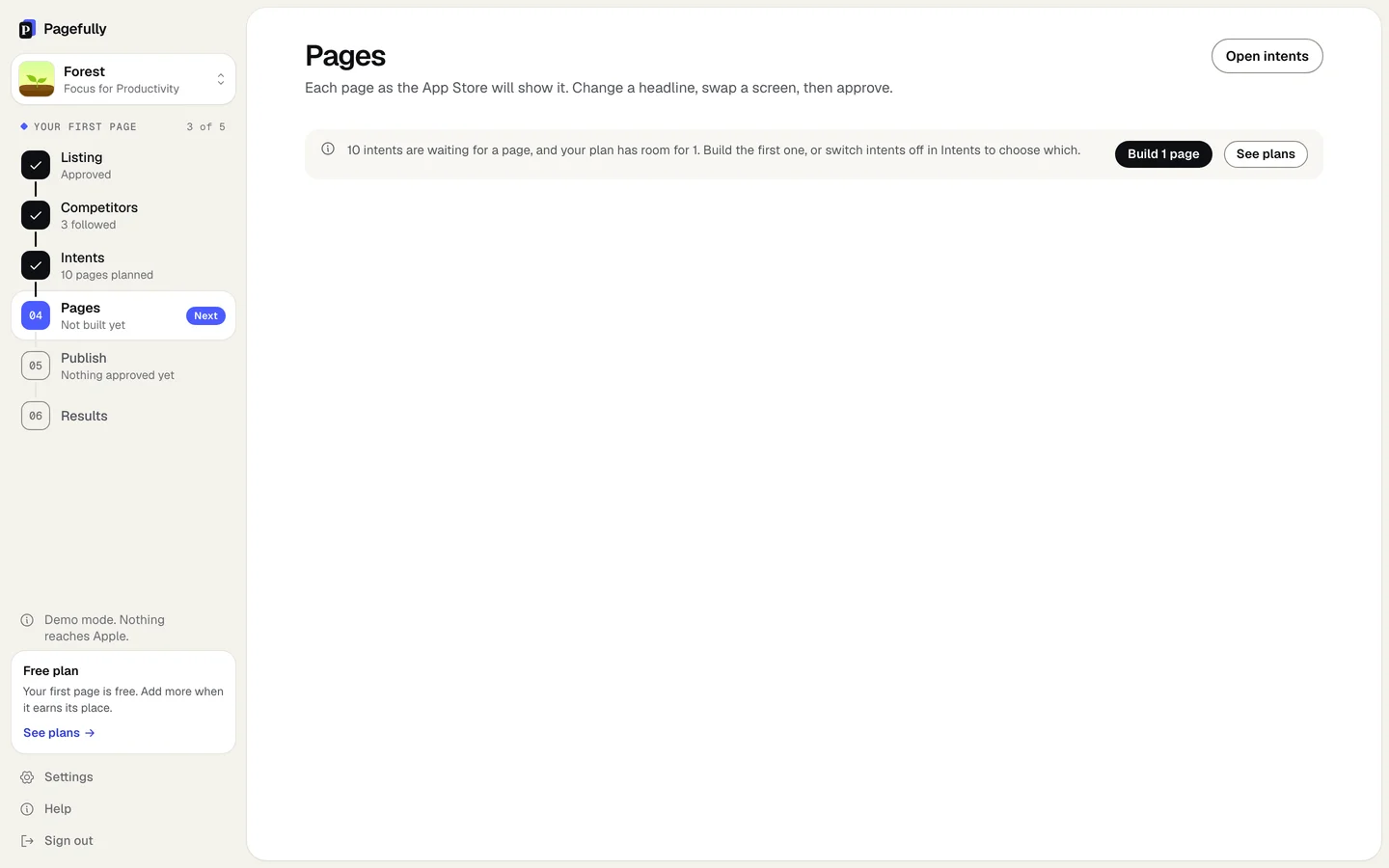
| On Pages, with more intents than room | 10 intents are waiting for a page, and your plan has room for 1. Build the first one, or switch intents off in Intents to choose which. | Click Build 1 page for the first intent in your order, or Open intents to choose which one, or See plans. |
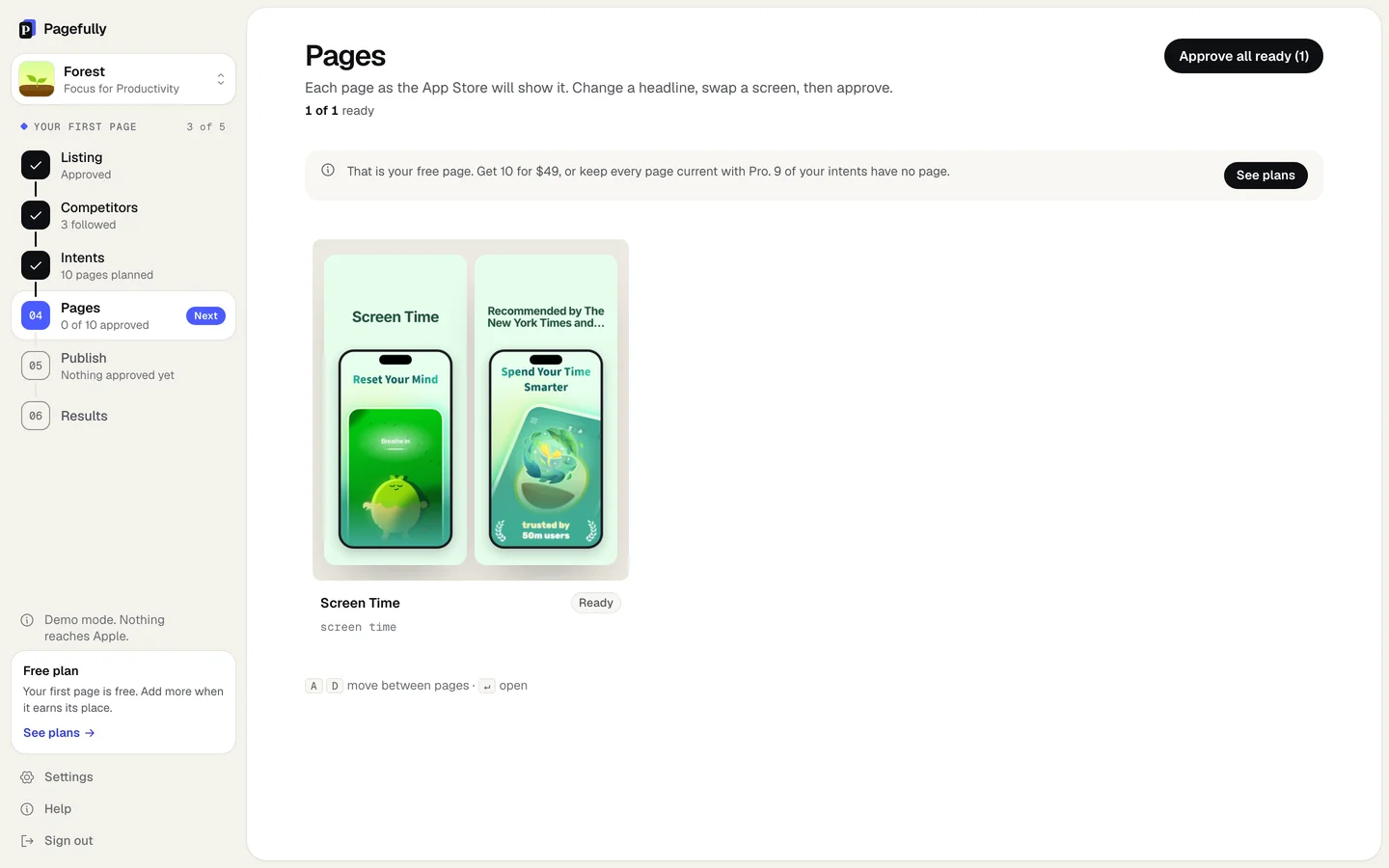
| On Pages, Intents or Competitors, once the free page is made | That is your free page. Get 10 for $49, or keep every page current with Pro. followed by how many intents have no page | Click See plans. The free page is counted in the Pack’s 10 and in Pro’s 70. |
| On Publish, after the page’s one revision | You have used this page’s revision. The Pack gives each page 2, and with Pro you revise as often as you like. The row says No revisions left on your plan. | Click See plans. The page already at Apple stays as it is. |
| On Pages, when the app’s free page was made in another account | This app’s free page was made before, in another account or before the app was disconnected. Get 10 for $49, or keep every page current with Pro. | See This app’s free page was made before. |
| On Listing, Competitors or Pages, for an app added by name whose free page exists elsewhere | This app’s free page has already been made. Connect App Store Connect to show the app is yours, or choose a plan, and we make your pages here. | Click Connect App Store Connect or See plans. |
| On Competitors, at 20 followed | You follow 20, your plan’s limit. | Stop following one to add another. Every plan follows 20. |
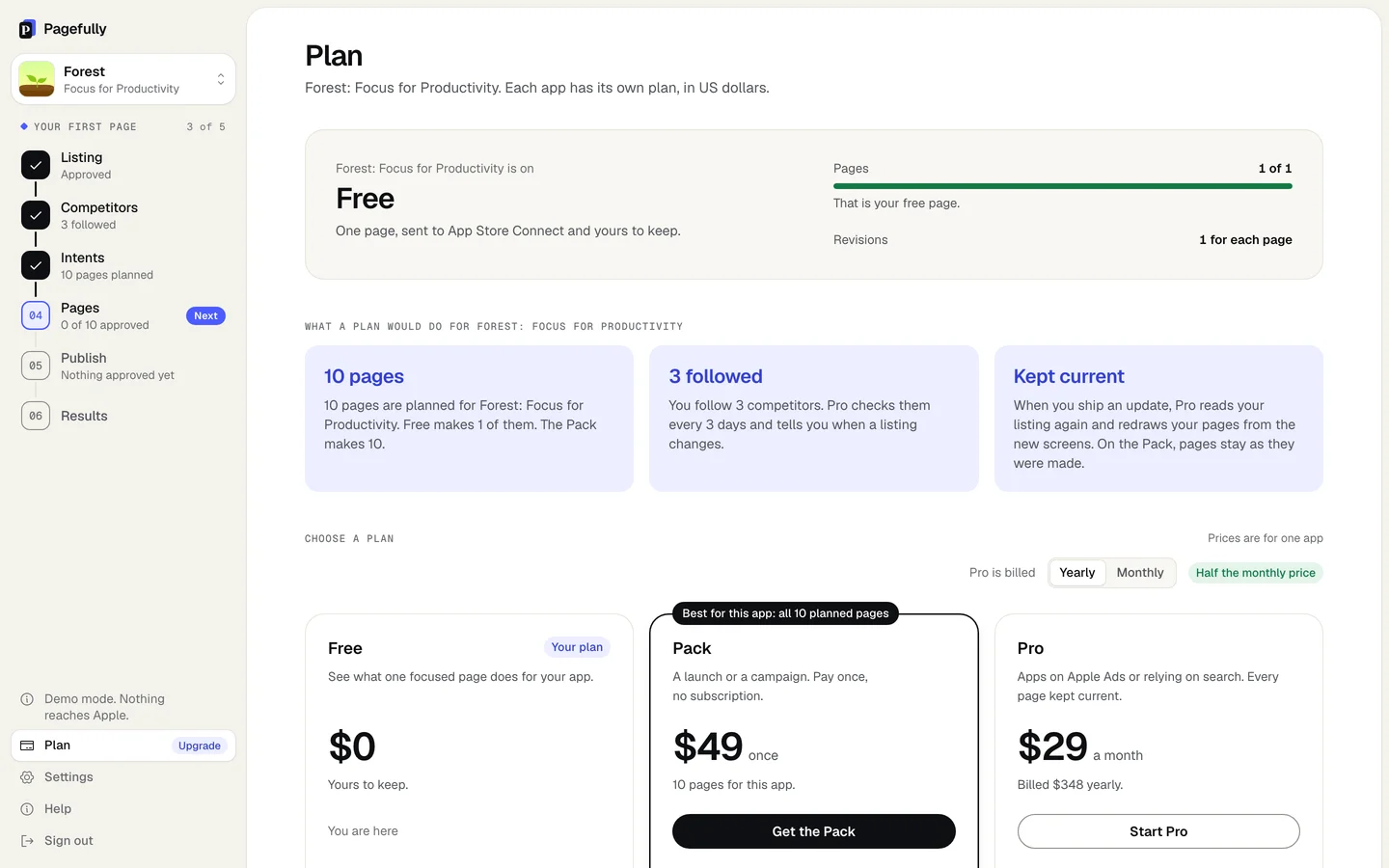
| On the Plan screen | Pages 1 of 1 with That is your free page. | Choose Get the Pack or Start Pro: see Upgrade or change your plan. |
Notes
- The free page is the first of the Pack’s 10 and one of Pro’s 70. Nothing you made on Free is lost when you choose a plan.
- Every plan, Free included, keeps your pages live after you stop. See Plans explained.