A page that is in App Store Connect, in review or live is locked in Pagefully, so to change it you take it back first.
Before you start
- The page shows In App Store Connect on Publish.
- The page is not in a submission. Only a page that has not been submitted for review can be taken back from here; see below.
Steps
- In the sidebar, click Publish.
- On the page’s row, click Take back.
- Read the sheet and click Delete it from App Store Connect.The sheet is titled Take Focus with ADHD back from App Store Connect? and says: The page is deleted from App Store Connect, with its screenshots. It stays here, approved, and can be changed and sent again. Nothing submitted for review is touched.
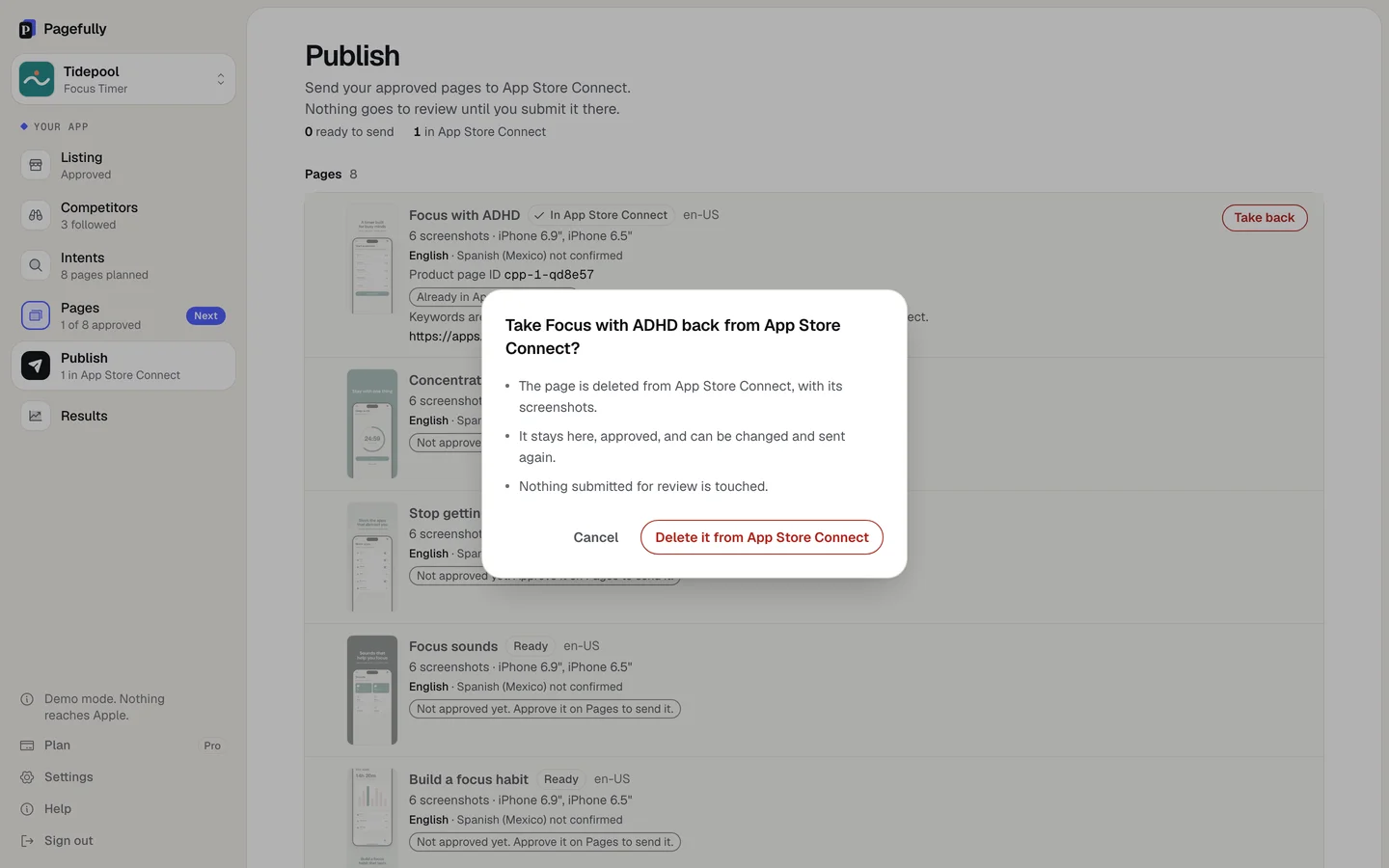
The page is deleted from App Store Connect, with its screenshots and every one of its languages. A page that was live is gone from the App Store, so its link stops working. In Pagefully the row shows Approved again, and the languages you confirmed stay confirmed. Open the page, click Edit, make your change, click Approve page, and send it again. Sending a page Apple has held before counts as a revision.
If something goes wrong
- “Only a page that has not been submitted for review can be taken back from here.” The page is in a submission. In App Store Connect, withdraw the submission or remove the page from it; Apple says withdrawing makes the page editable. Then take it back here. See Submit a page for review for where it is.
- “App Store Connect did not let us delete it just now. Nothing was changed. Try again, or delete it in App Store Connect.” Click Take back again. If it still fails, delete the page under Custom Product Pages in App Store Connect, and tell us so the row here matches.
- “This page exists in App Store Connect. Disable or delete it from Publish instead.” You tried to delete the page on Pages. Take it back on Publish first, then delete it. Deleting a page gives nothing back on Free or the Pack; see Plan limits.