Pagefully sends four kinds of email: two you ask for by signing in, and two you can turn off in Settings or from the email itself.
| Subject | When it is sent | Can you stop it? | |
|---|---|---|---|
| Confirm your email | Confirm your email to start with Pagefully | Once, when you create your account. The button is Confirm and continue. | No. You asked for it. |
| Sign-in link | Your Pagefully sign-in link | Each time you sign in. The button is Sign in, and the link works once and expires in an hour. | No. You asked for it. |
| Competitor changes | {Rival} changed its App Store page, or {A} and {B} changed their App Store pages | On Pro, when a check finds that one of the first five competitors you follow changed what its page leads with. Checks run every three days. The button is See what changed. | Yes. |
| The weekly note | {app}: how your pages did this week, {app}: {n} pages worth adding, or {app}: your pages this week | Monday, one for each app, to the workspace owner. An app with nothing in App Store Connect and no page to suggest gets none. | Yes. |
The weekly note is titled This week for {app}. Under Your pages, last 7 days it lists each page sent to App Store Connect; today each line reads No results yet or In review with Apple, as the Results screen does. Under Worth adding next it names up to three planned pages you have not built, with Add a page. Its button is See your results.
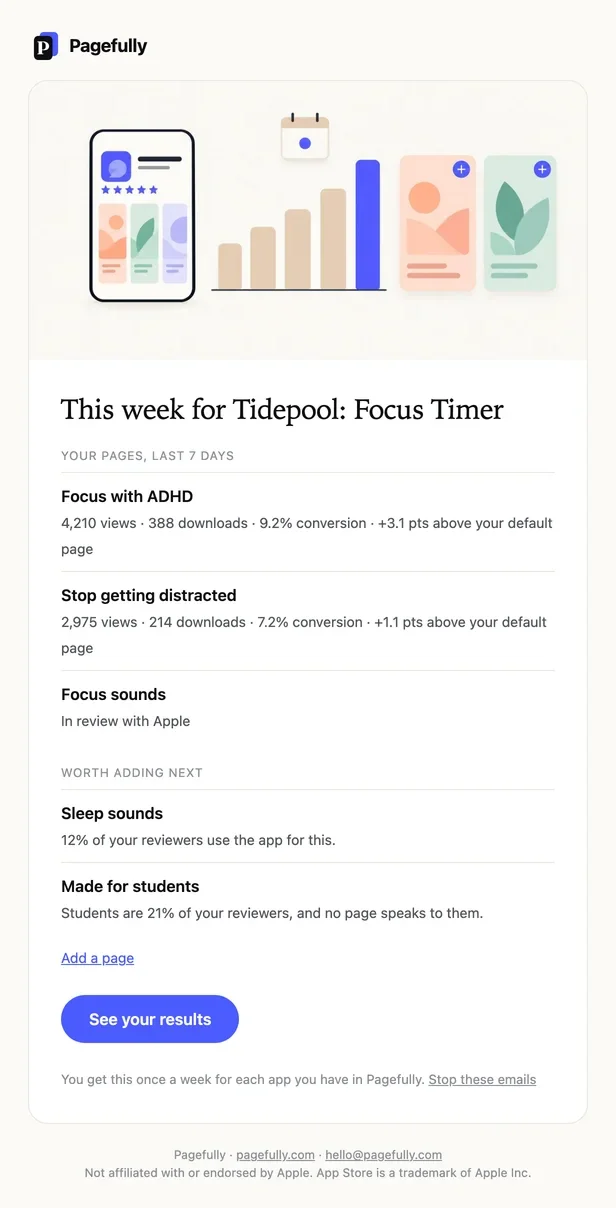
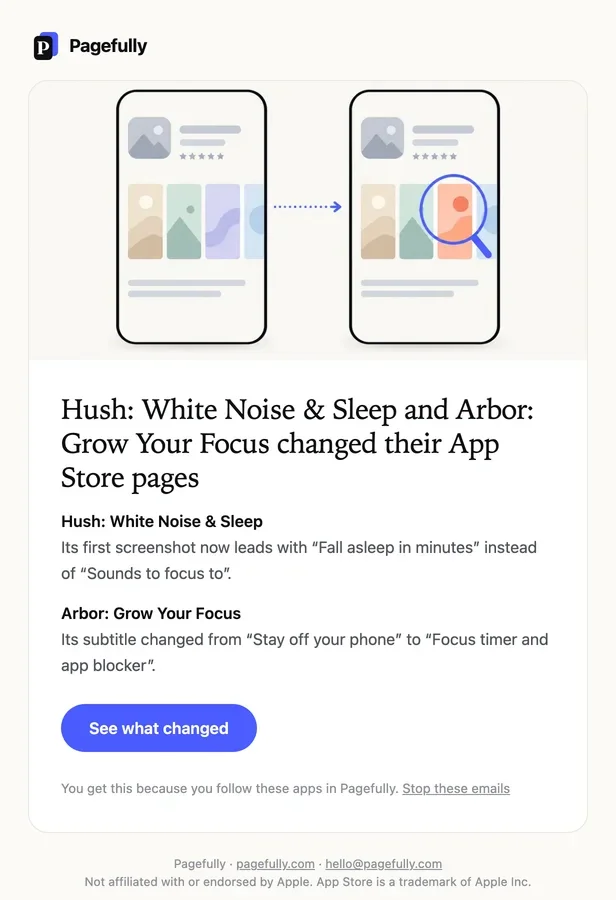
A competitor-change email names each app that changed and sums up the change. You get it only on Pro, because only Pro checks competitors by itself; on every plan the changes also show on Competitors, under Changes in the competitor’s window. Follow competitors explains the checks.
Steps
- Open Settings.
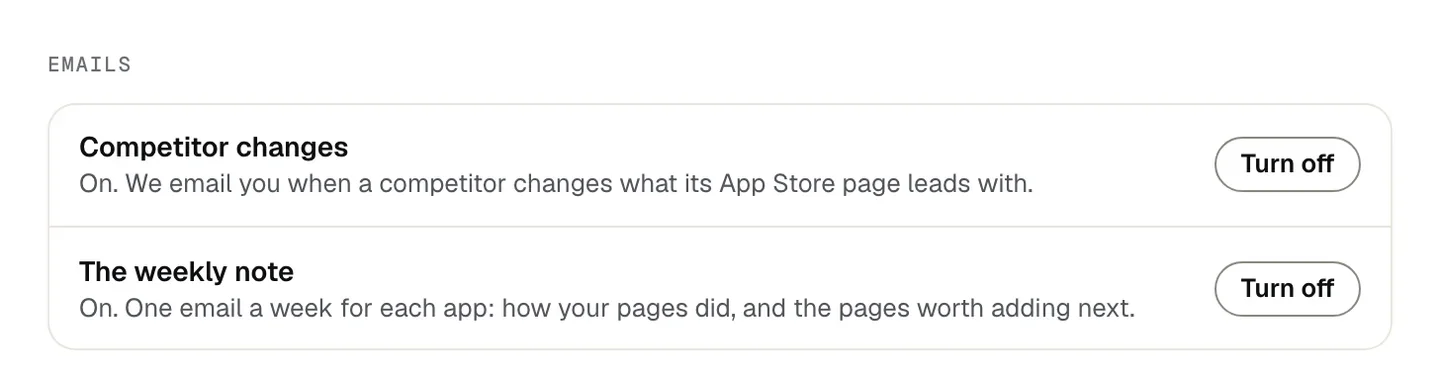
- Under Emails, find Competitor changes or The weekly note.Each row says what it is. Competitor changes: On. We email you when a competitor changes what its App Store page leads with. The weekly note: On. One email a week for each app: how your pages did, and the pages worth adding next.
- Click Turn off.The choice is kept on your account, so it holds for every app you have.
The row now reads Off. Changes still show on the Competitors screen. or Off. The same numbers are on each app’s Results screen., and the button reads Turn on. Click it to have the emails again.
From the email
Each optional email ends with Stop these emails. The link opens a page titled Stop the weekly note? or Stop competitor emails?, which says what the email is and that Emails you ask for, like sign-in links, still arrive. Opening the link changes nothing; click Stop these emails there and the page reads Done. No more of these. with a Turn them back on button. The link works without signing in and is yours alone.
Emails Pagefully does not send
There is no email when a page goes live, when Apple rejects a page, or for a payment. Watch a page’s status in App Store Connect, and find your invoices and receipts in the billing portal: see Invoices, receipts and your payment method. Replies to feedback and to a screenshot you send us come from a person, by email.
If something goes wrong
- The stop link says This link has expired. The page reads You can choose which emails you get in Settings. Open Settings and use Turn off there.
- No weekly note arrived on Monday. An app with nothing in App Store Connect and no planned page left to suggest gets none. Check the row in Settings reads On, and check your spam folder.
- No competitor-change email, though a listing changed. These emails are Pro only, and only the first five competitors you follow are checked. On every plan, the change is on Competitors when you read them again.
- The stop page says We could not save that just now. The full sentence is We could not save that just now. Nothing was changed. Try again. Click Stop these emails again, or use Settings.