This app’s free page was made in another account, or in this one before the app was disconnected. Each app on the App Store gets one free page, whoever adds it and however many times. If that account is yours, sign in to it; otherwise connect App Store Connect or choose a plan.
What you’re seeing
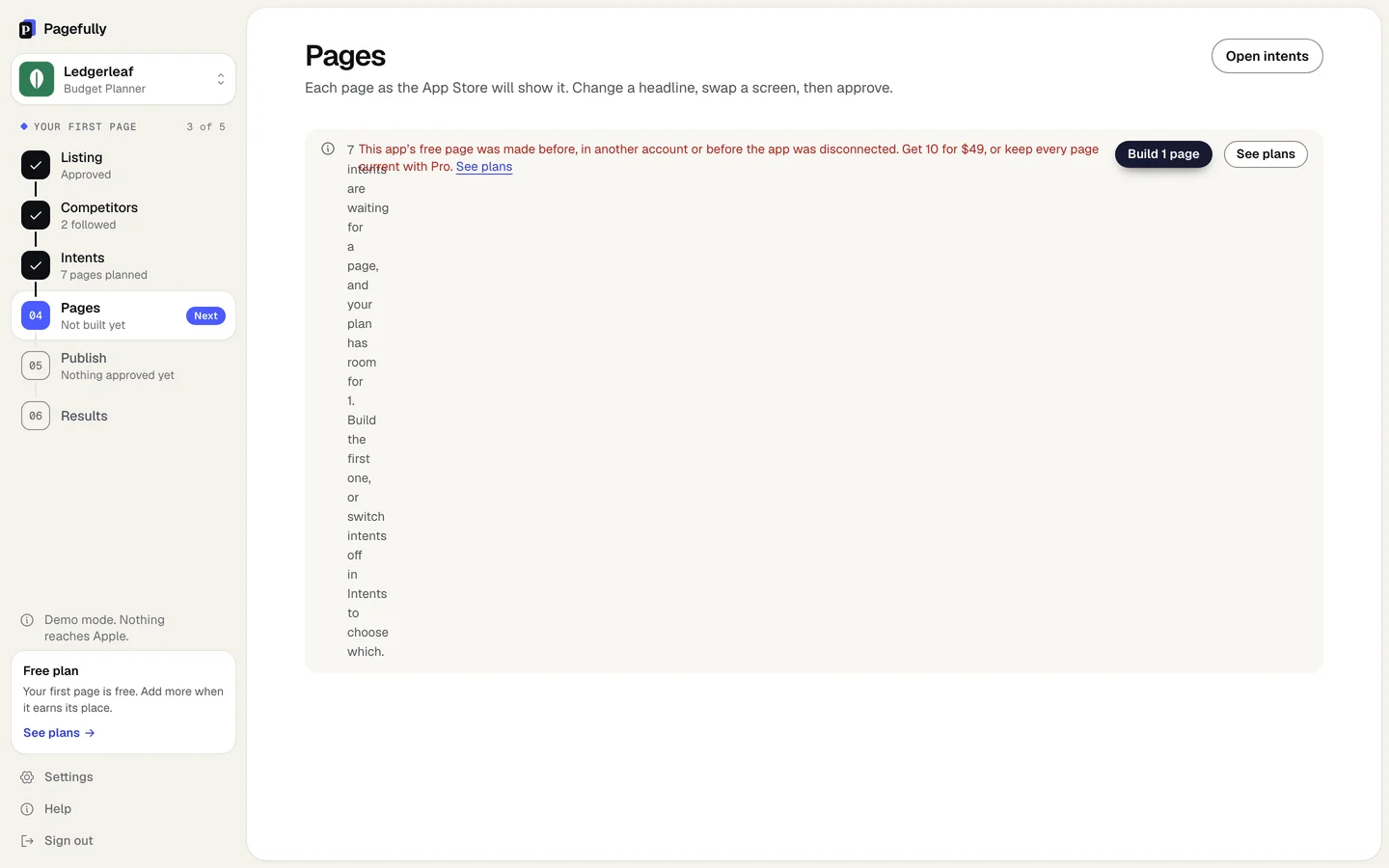
- On Pages, after Build 1 page on an app added with a key: “This app’s free page was made before, in another account or before the app was disconnected. Get 10 for $49, or keep every page current with Pro.” with See plans.
- On Listing, Competitors and Pages, for an app added by name: “This app’s free page has already been made. Connect App Store Connect to show the app is yours, or choose a plan, and we make your pages here.” with Connect App Store Connect and See plans. You see the page that was made, its listing and its planned pages, and nothing new is built.
Why it happens
The free page is counted by the app’s App Store id, not by your account. Once it is made, it is made: for every account, and after a disconnect and reconnect. Removing an app that was added by name and adding it again counts the same way. An account that adds an app by name after its free page exists is a guest of that app: it can look, and nothing is generated until it connects a key or chooses a plan.
How to fix it
- If it was you, in another account: sign in to that account.Click Sign out at the foot of the sidebar, then enter the email you used before. Your app and its page are there. See Sign in with a link.
- If it was you, before you disconnected the app: choose a plan.The free page is used, and disconnecting does not give it back. Click See plans. The Pack is $49 once for 10 pages; Pro keeps every page current.
- If you added the app by name and it is yours: click Connect App Store Connect.A key with the App Manager role shows the app is yours, and your pages are made here, unless the free page was also made with a key before. Then choose a plan.
- If it was not you: write to us.Send the app’s App Store link to hello@pagefully.com from the address you sign in with. We look into who made the page.
What the free plan includes is in What the free plan includes, the plans in Plans explained, and signing in in Sign in with a link.
Still not working?
Write to hello@pagefully.com, or click Have feedback? Let us know, and include:
- the app’s App Store link
- whether you added it by name or with a key
- any other email address you may have used with Pagefully