Adding by name needs no key; a key lets Pagefully read what is not public and send pages to Apple.
Before you start
- An account. See Create an account.
- For the key path, the three things from App Store Connect: Issuer ID, Key ID and the .p8 file. Connect App Store Connect shows where to find them.
Add an app by name
A workspace can hold one app added by name without a key. Pagefully reads its public App Store page, assumes the US storefront and English (US), and cannot know Your keyword field, Your subtitle and promotional text, Custom product pages you already have, Your listing in other languages or Results for each page. Connecting a key later keeps everything made and fills those in.
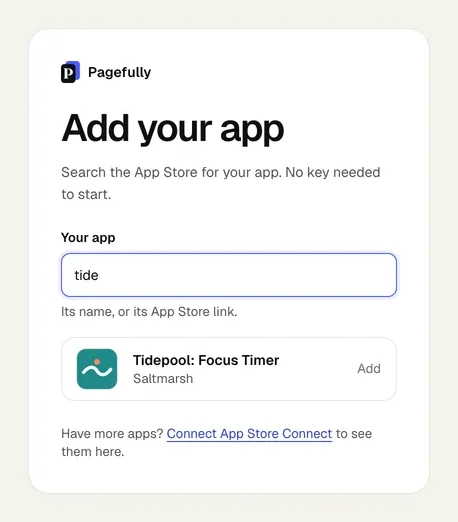
- On Add your app, type the app’s name in Your app, or paste its App Store link.The field searches the US App Store as you type.
- Click Add on your app’s row.A pasted link shows Add the app at this link instead. If a preview of the app is kept, its pages come in as yours.
Add an app with a key
- On Add your app, click Connect App Store Connect.
- Fill in Issuer ID, Key ID and Key file (.p8), then click Connect.Dropping the file fills in the Key ID. Connecting checks the key with Apple and lists your apps.
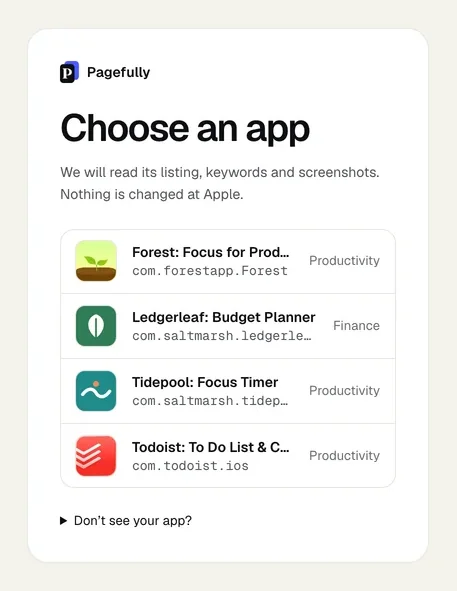
- On Choose an app, click your app.A team with one app skips this screen. Choosing an app starts the listing read and opens Listing.
Add a second app
Each app has its own screens and its own plan. A second app needs a key, unless the first was added with one.
- In the sidebar, click your app’s card, then Add an app under Your apps.Settings lists every app under Apps as well, with Add an app when there is none yet.
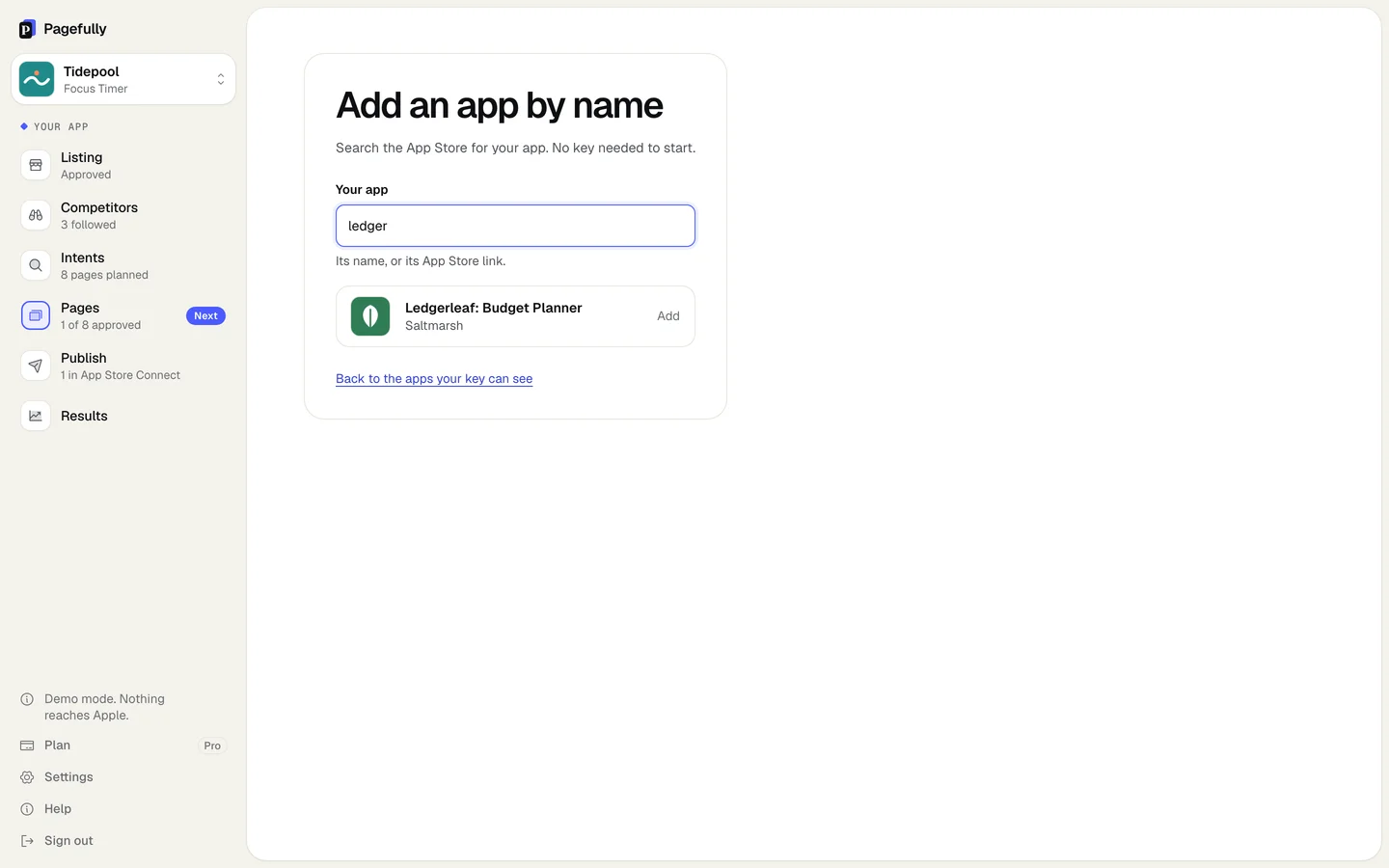
- Choose the app from the list, or click Add by name instead.On Add an app by name, search as before and click Add. Back to the apps your key can see returns to the list.
The app opens on Listing, reading its listing (Reading and the app’s name, usually under a minute). Switch between apps from the card at the top of the sidebar: see Switch between apps.
If something goes wrong
- This app’s free page was made before, in another account or before the app was disconnected. One free page per app on the App Store, across every account. Added by name, the sentence is “This app’s free page has already been made.” See “This app’s free page was made before”.
- Apple rejected this key. Check it has the App Manager or Admin role and has not been revoked. Create a Team key with the App Manager role and connect it again. See Connect App Store Connect.
- This key sees no apps. Keys are per team. Is this the right team? Open Don’t see your app?: the app is new (create it in App Store Connect first), the key cannot see it (give its role access under Users and Access), or it is on another Apple developer account (write to hello@pagefully.com).
- No app by that name on the US App Store. Try its exact name, or paste its link. Paste the App Store link or the app id. See My app is not found when I search for it.