A plan is bought for one app, from that app’s Plan screen, on a checkout page our payment provider hosts.
Before you start
- The app is added. A plan belongs to an app, so there is a Plan screen for each one.
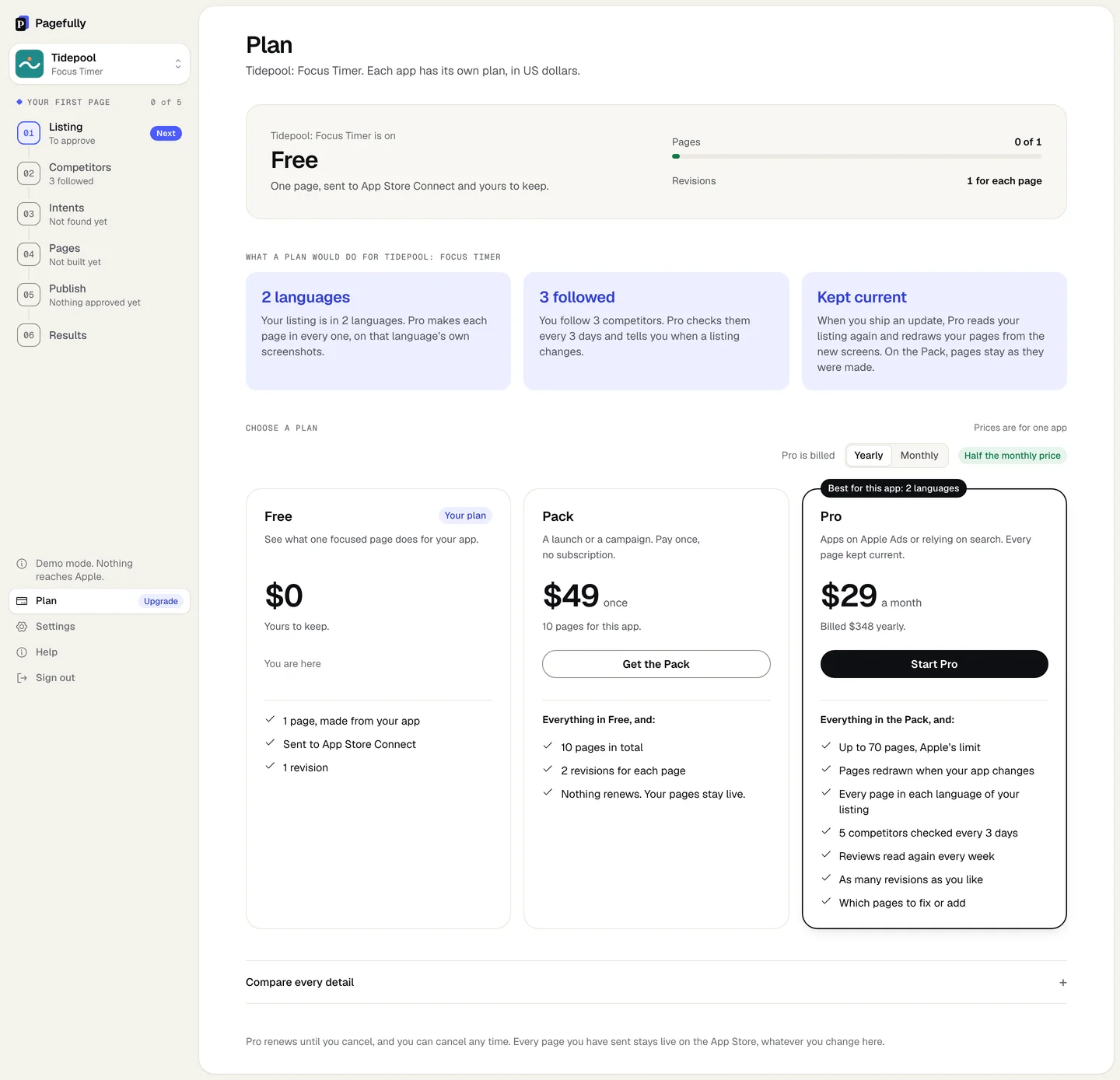
- Know which plan you want: Plans explained. A choice made on the pricing page is carried to the Plan screen, with that plan’s button first and yearly or monthly already chosen.
Steps
- In the sidebar, click Plan. On Free, click See plans on the Free plan card.You can also open it from Settings: under Apps, click See plans or Move to Pro beside the app.
- Under Choose a plan, choose Yearly or Monthly beside Pro is billed if you are starting Pro.Yearly is $29 a month, billed $348 a year. Monthly is $59 a month with 15 new pages a month. The Pro card’s price changes as you switch.
- Click Get the Pack on the Pack card, or Start Pro on the Pro card.The button says Opening checkout, then the checkout page opens in place of Pagefully. Nothing is charged until you pay there.
- On the checkout page, enter your card and billing details, and pay.The page is hosted by Stripe, our payment provider. It asks for your email, your card and a billing address, and may ask for a tax ID where tax applies. Pagefully never sees or stores your card.
- Wait on the Plan screen until it says Pro is on or Your Pack is on.You come back to the Plan screen by yourself. It first says Your payment went through. and Switching Pro on. This takes a few seconds., then the plan line changes.
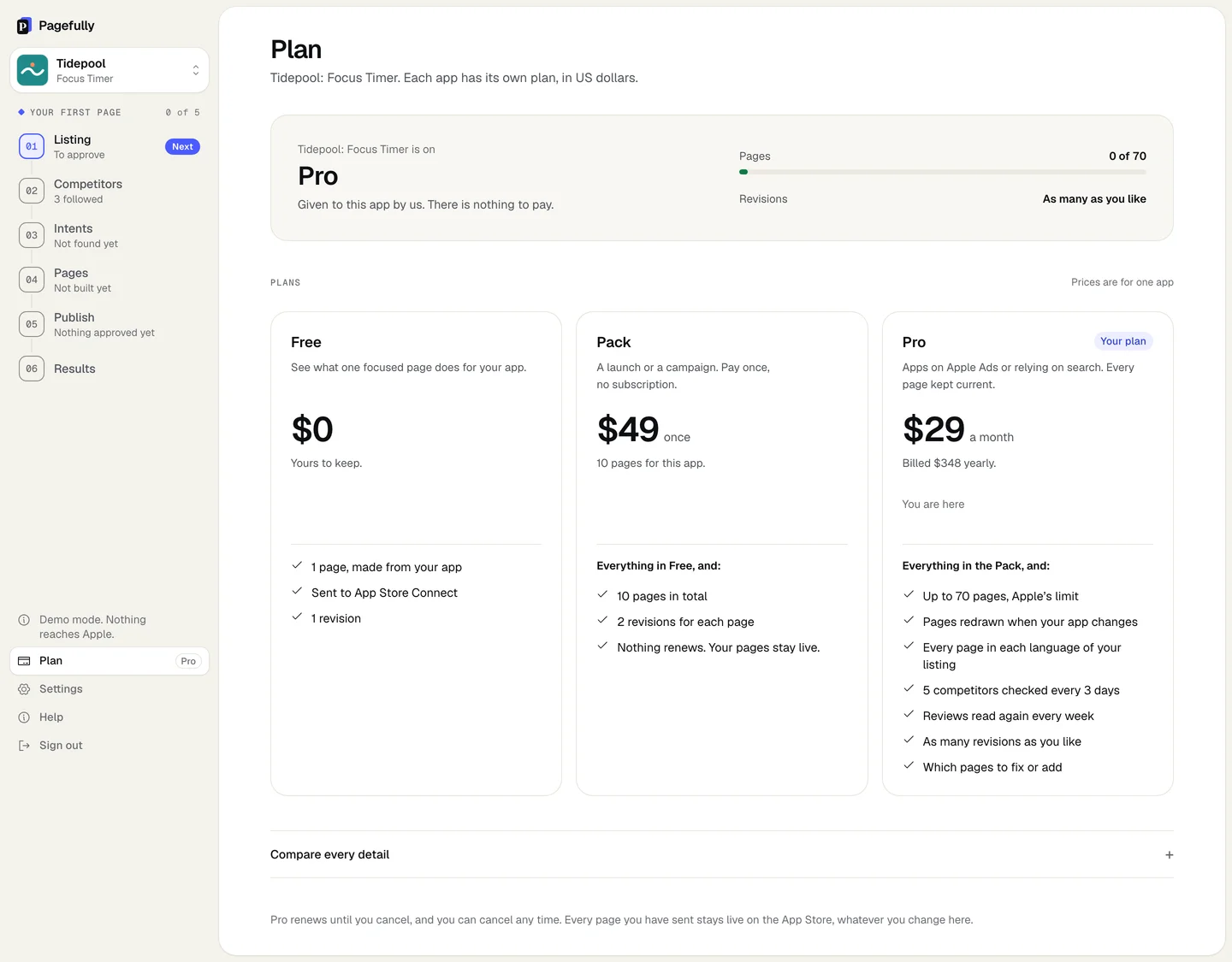
The line under the app’s name reads Pack with the date it was bought, or Pro, billed yearly or Pro, billed monthly with the date it renews. The meters change at once: Pages out of 10 or 70, Revisions as 2 for each page or As many as you like. Pages that were waiting for room can be built from Pages. On Pro, Manage billing appears under the plan.
Switch Pro between monthly and yearly
Pro already on an app is changed in the billing portal, not with Start Pro. On Plan, click Manage billing, then change the plan in the portal. Back on the Plan screen, the line reads Pro, billed yearly or Pro, billed monthly. On monthly billing, the New pages this month meter counts 15; on yearly there is no monthly count. See Invoices, receipts and your payment method for the portal.
Move from the Pack to Pro
Start Pro the same way, from the Plan screen or from Move to Pro on Settings. If the Pack was bought in the last 30 days, the Pro card says Your Pack comes off with what you pay today, and checkout takes $49 off the first payment. Putting a Pack towards Pro has the rule and the numbers. Every page made on the Pack stays as it is and counts among Pro’s 70.
What happens to the free page
Nothing. It stays as it is, in Pagefully and at Apple. It is the first of the Pack’s 10 pages, and one of Pro’s 70. If it has been sent once, its next send is a revision under the new plan’s count.
If something goes wrong
- The Plan screen says “Plans cannot be bought here yet. Write to hello@pagefully.com and we will set yours.” and the cards have no buttons. Billing is not switched on where you are using Pagefully. Write to hello@pagefully.com with the app’s name and the plan you want, and we set it.
- The button answers with a sentence and checkout does not open. Each sentence says why. This app is already on Pro. Use Manage billing to change how it is billed. and This app is on Pro, which already has everything in the Pack. mean the app has Pro. This app already has its Pack. Pro takes it to 70 pages. means a second Pack is not sold. This app has already made 10 pages, so the Pack would add none. Pro takes it to 70. means Pro is the only way up. We could not reach our payment provider just now. Nothing was charged. Try again in a minute. means wait and try again.
- The Plan screen says “You left checkout before paying. Nothing was charged.” Nothing changed. Click Get the Pack or Start Pro again when you are ready.
- You paid, and the screen says the plan is taking longer than usual to switch on. The screen waits half a minute, then says Nothing more is charged. Reload this screen in a minute, or write to hello@pagefully.com. Reload once. If the plan line has not changed, write to us with the app’s name.
- The Plan screen says “Your last payment did not go through.” Pro stays on while the card is tried again over the next few days. Click Manage billing and update the card to keep it. If the retries fail, Pro ends and the screen says Pro has ended for this app. Your pages stay live; see Cancel Pro, and what happens to your pages.